
Rather than introducing sweeping platform changes, this release focuses on refining everyday experiences for employees, managers, and administrators, strengthening core processes, improving transparency, and extending capabilities across mobile and collaborative tools.
In this article, we highlight the most relevant updates from the 1H 2026 release to help HR and IT leaders understand what’s changed and where to focus their attention.
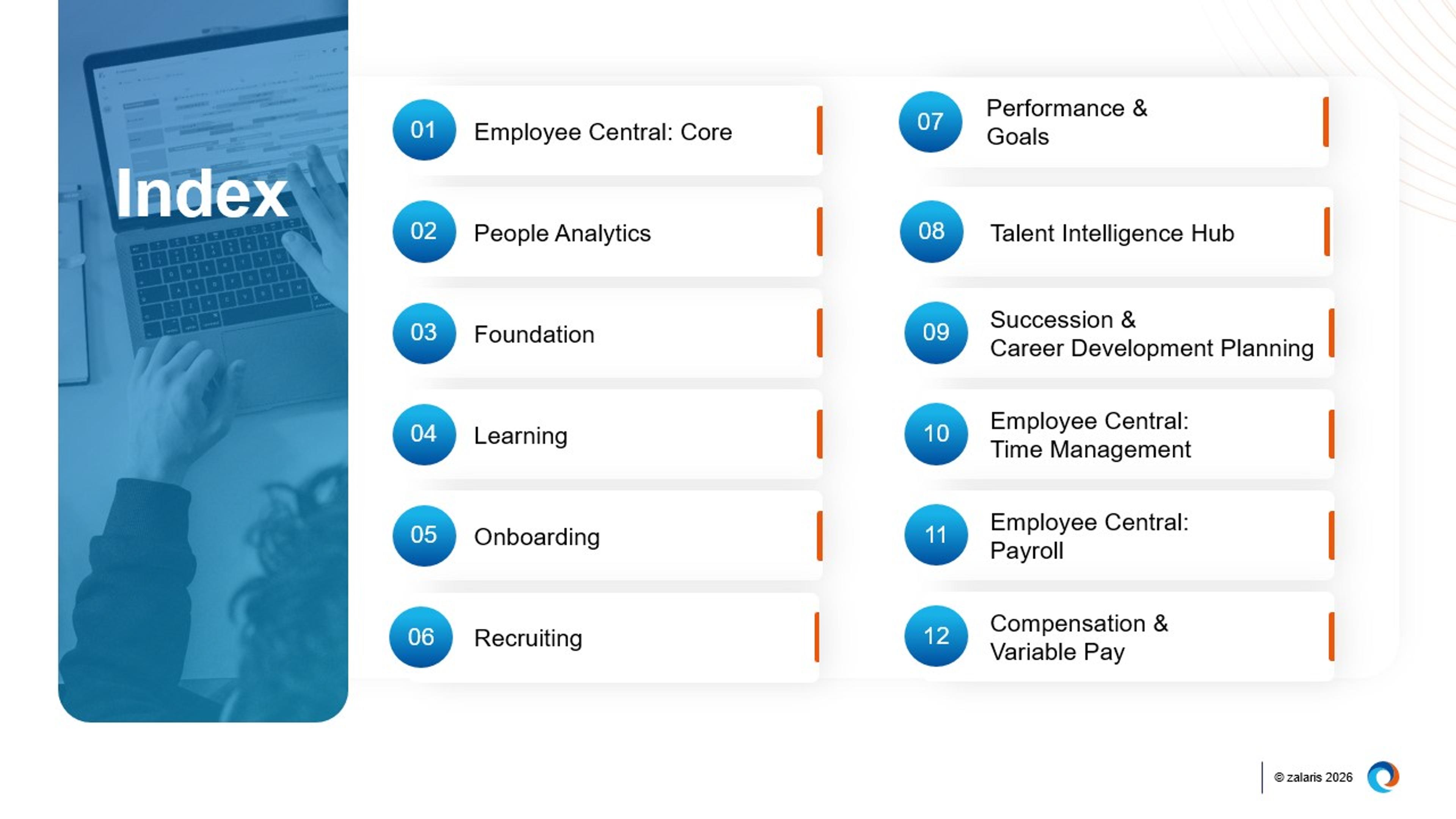
SAP SuccessFactors release schedule and rollout approach
SAP SuccessFactors follows a biannual release cycle, giving organisations early access to upcoming enhancements through a preview environment. This allows time for testing, validation, and user readiness activities ahead of the production release.
All customer instances are updated simultaneously during the production window, ensuring a consistent experience across the platform. To maximise the value of each release, it is important to review the updates, assess their impact, and plan any required configuration or change management activities. A structured release management approach helps reduce disruption and supports confident adoption of new capabilities in line with business priorities.
SAP SuccessFactors Employee Central Core
Employee Central features enhancements that focus on simplifying data access, strengthening mobile usability, and improving transparency across workflows and approvals.
Employee data access is now unified, consistent, and role‑aware
The Full Profile data viewing experience is now universally available and enabled as the default across both web and mobile.
It consolidates employee data into a single unified view and is supported by multiple refinements, including updated approval text labels, clearer “no permission” messaging, and the automatic hiding of empty sections in the History UI (with Job Information as an exception).
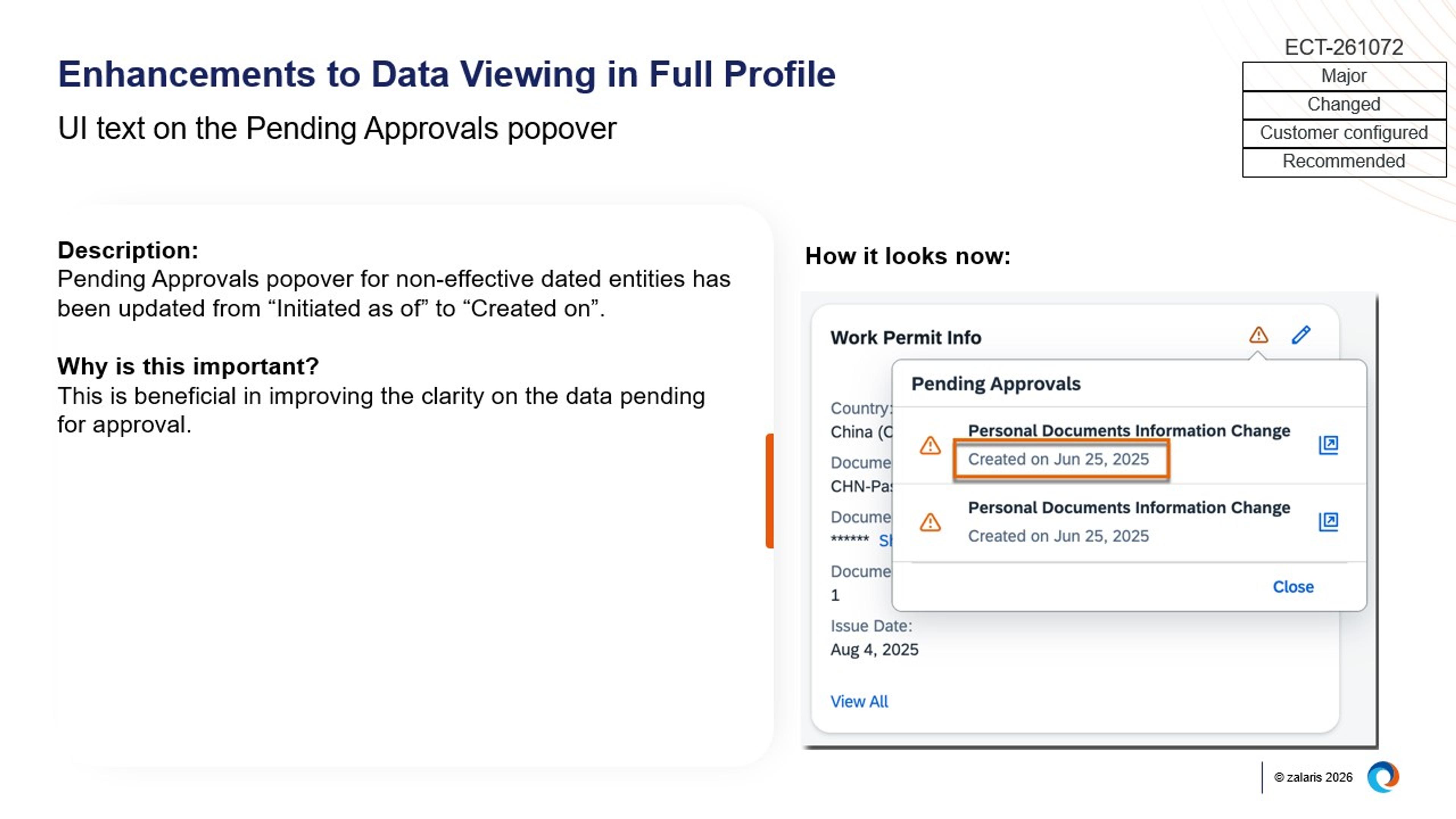
Image: Enhancements to Data Viewing in Full Profile
Enhancements to People Profile in the SAP SuccessFactors mobile app
The SAP SuccessFactors mobile app now supports direct access to Full Profiles from search results, access to History UI entries for selected HRIS entities, and visibility into workflow participants and current approval statuses.
These enhancements apply across profile cards, detail pages, and request screens, making core Employee Central capabilities easily accessible for mobile users.
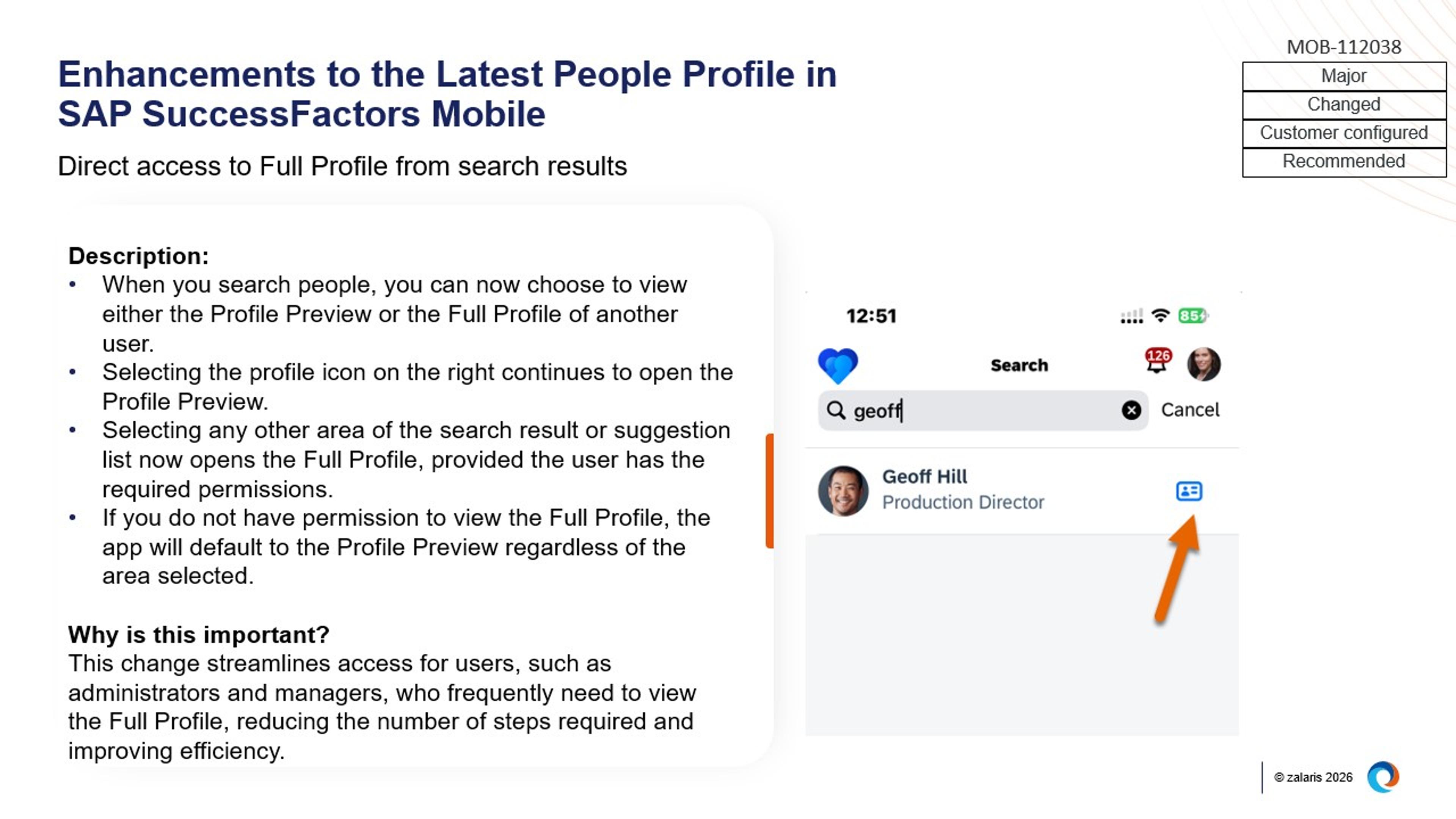
Image: Enhancements to the Latest People Profile in SAP SuccessFactors Mobile
Significant improvements in workflow transparency and navigation
Users can now open Full Profiles and Org Charts from ‘Profile Preview’ and ‘Spotlight’ views in a new browser tab or window.
In addition, workflow participants are grouped by role and displayed with real‑time status indicators, providing structured visibility into approval routing directly from both desktop and mobile.
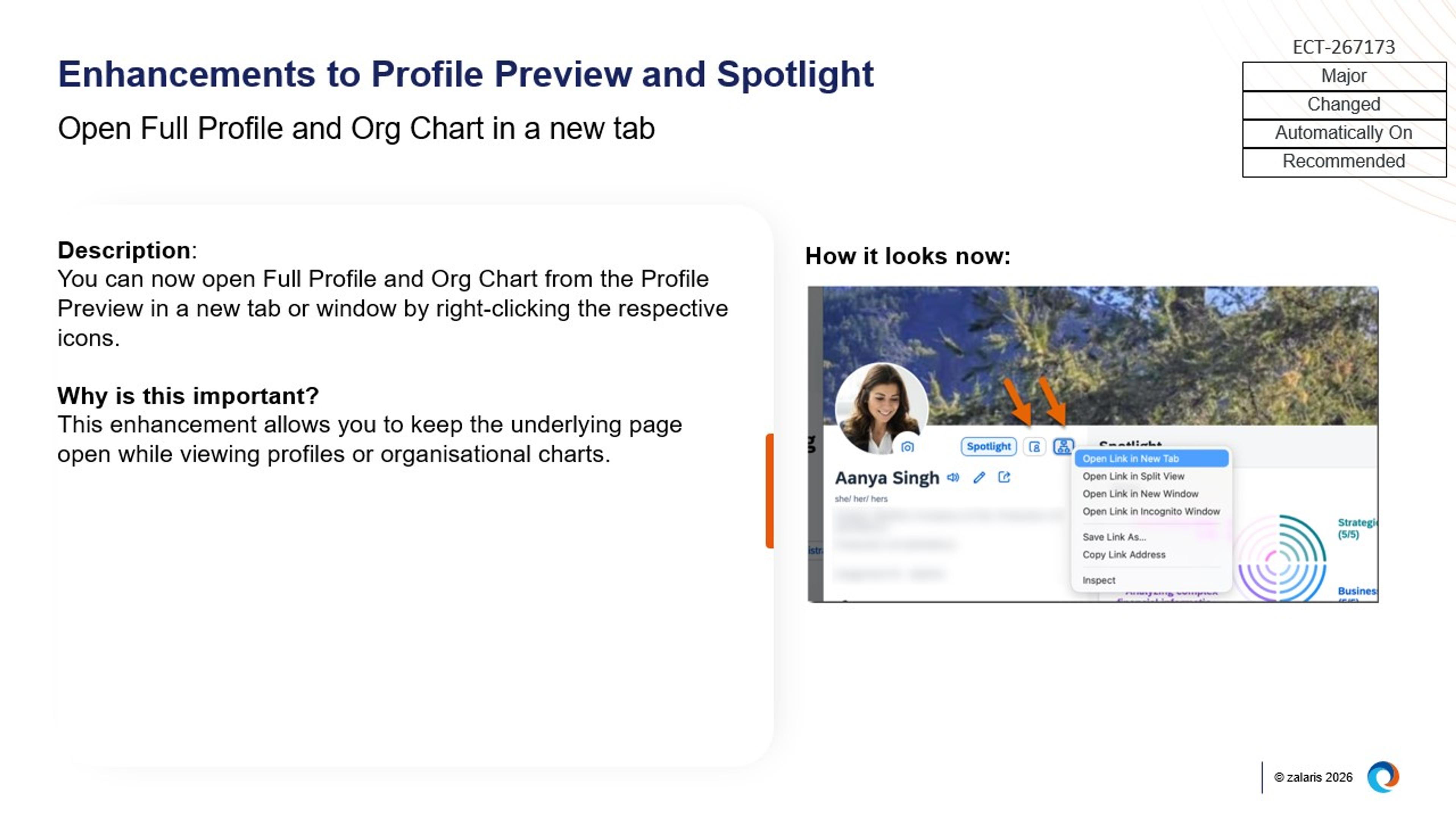
Image: Enhancements to Profile Preview and Spotlight
SAP SuccessFactors Time Management
Time Management introduces enhancements that focus on improving integration accuracy, automating complex time‑off calculations, and extending absence updates into everyday collaboration tools.
Absence change notifications extended to Microsoft Teams with calendar updates
Users can now receive Microsoft Teams notification cards when an absence is changed. When absence calendar synchronisation is enabled, these notifications include an option to update existing calendar entries, ensuring changes to absences are reflected accurately in Microsoft Teams and Outlook.
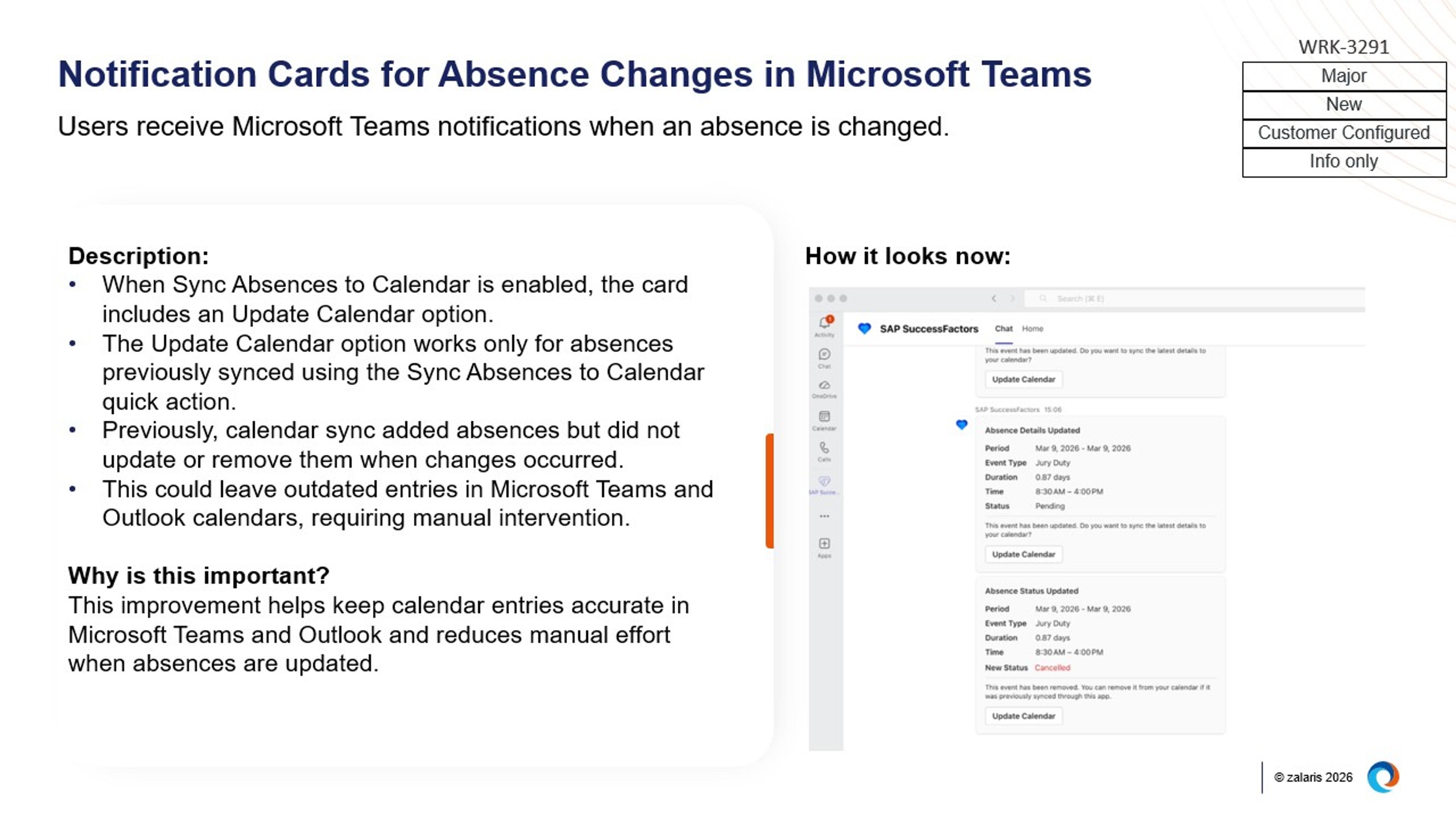
Image: Onboarding Notification Cards Available in MS Teams
New rule function to calculate completed months of absence
A new rule function, Get Completed Months of Time for a Time Type, enables the calculation of full months of continuous absence for specific absence types. This function supports automated prorating or reduction of accruals, helping organisations handle time‑off calculations that depend on completed absence periods.
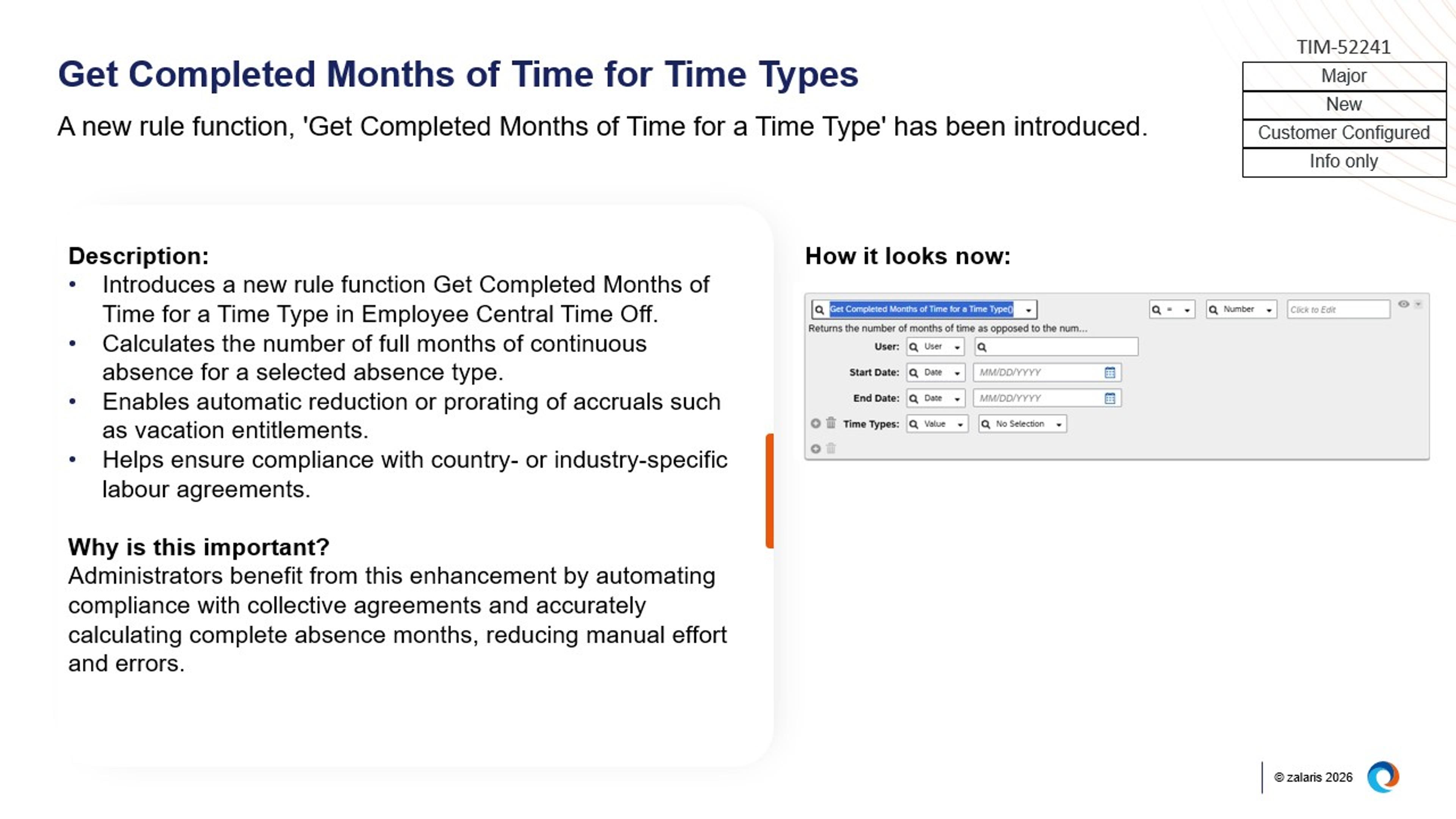
Image: Get Completed Months of Time for Time Types
Real‑time attendance replication from SAP S/4HANA
Attendance data from SAP S/4HANA is now replicated to SAP SuccessFactors Time Sheet in real time, including pending attendance records. This enhancement helps prevent data collisions and overlapping entries by keeping time and absence data consistently aligned across systems.
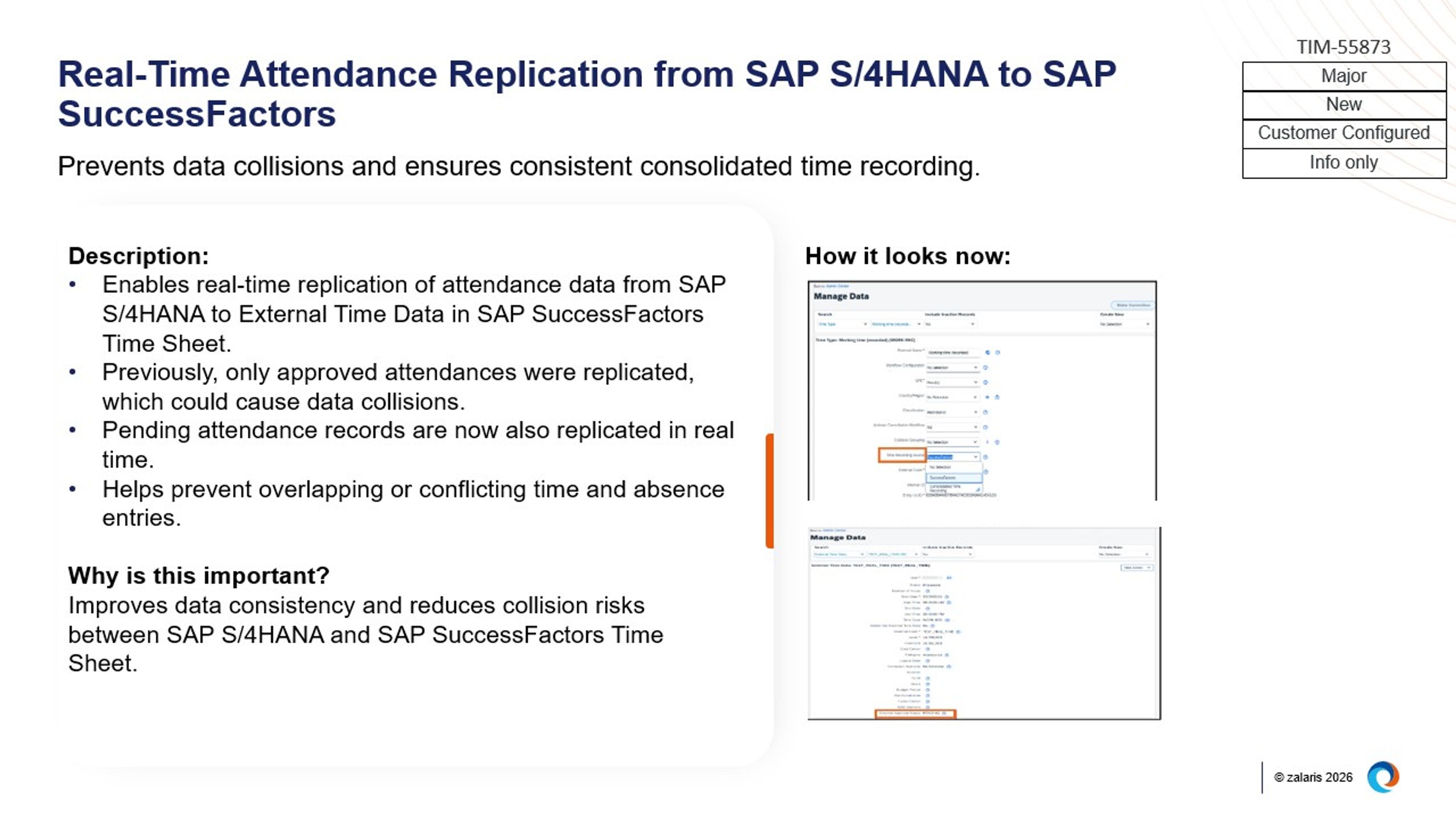
Image: Real-Time Attendance Replication from SAP S/4HANA to SAP SuccessFactors
SAP SuccessFactors People Analytics
People Analytics now features improved report management, increased transparency into reporting usage, and enhanced controls and flexibility for report design and data export.
Improved visibility and management of reporting assets
Administrators can now delete scheduled jobs for all report types, including Canvas reports, directly from the My Jobs page.
In addition, Canvas report usage metrics (such as creation, execution, and sharing) are now available in Story reports, providing visibility into report adoption over the past 12 months
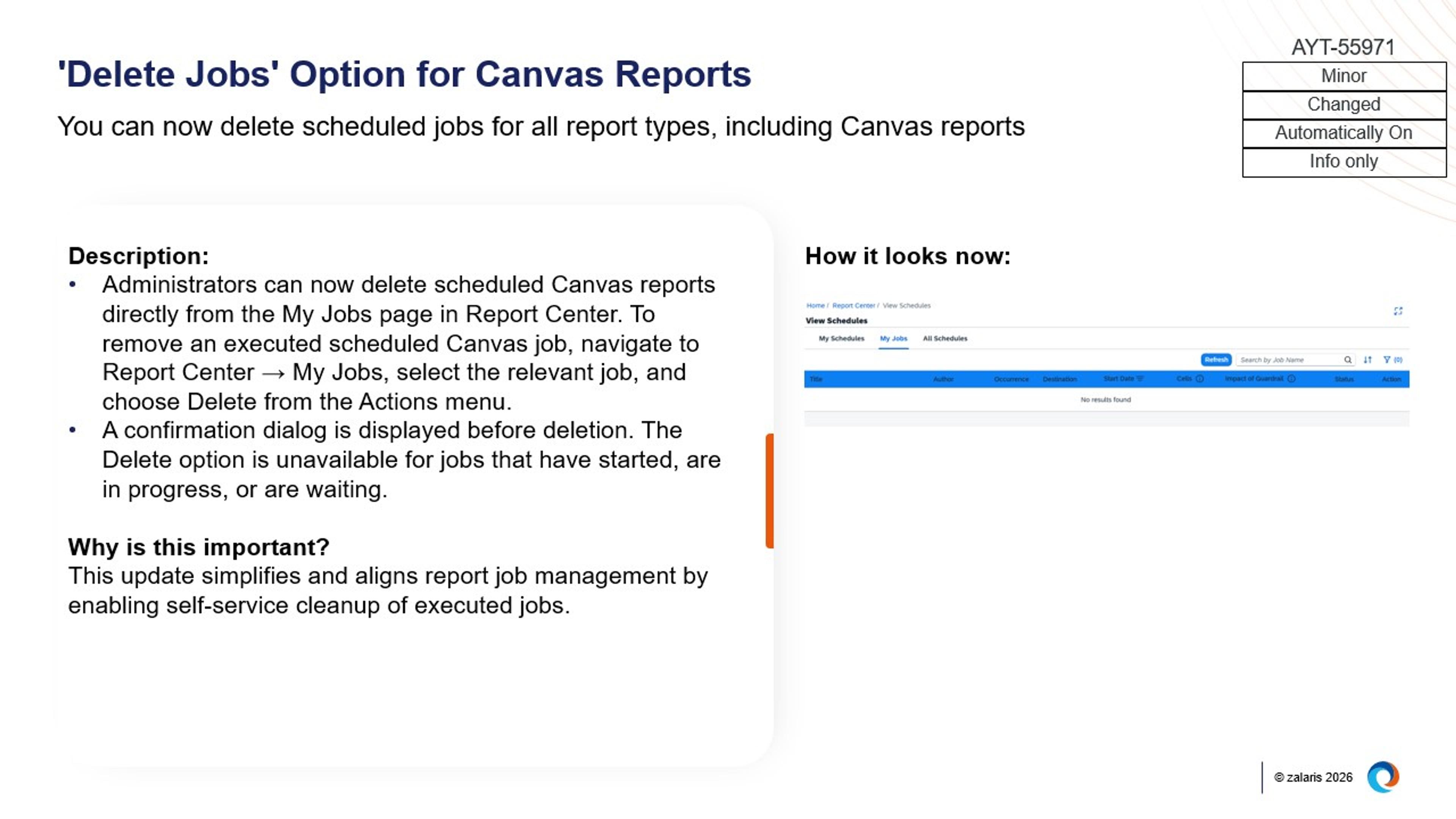
Image: 'Delete Jobs' Option for Canvas Reports
Enhanced usability of the Report Center experience
The Report Center landing page has been refreshed with a more consistent layout, clearer help text, and streamlined action buttons.
Enhancements also include improved search and filtering, clearer label management options, and support for bulk actions such as delete, export, and label assignment across multiple reports.
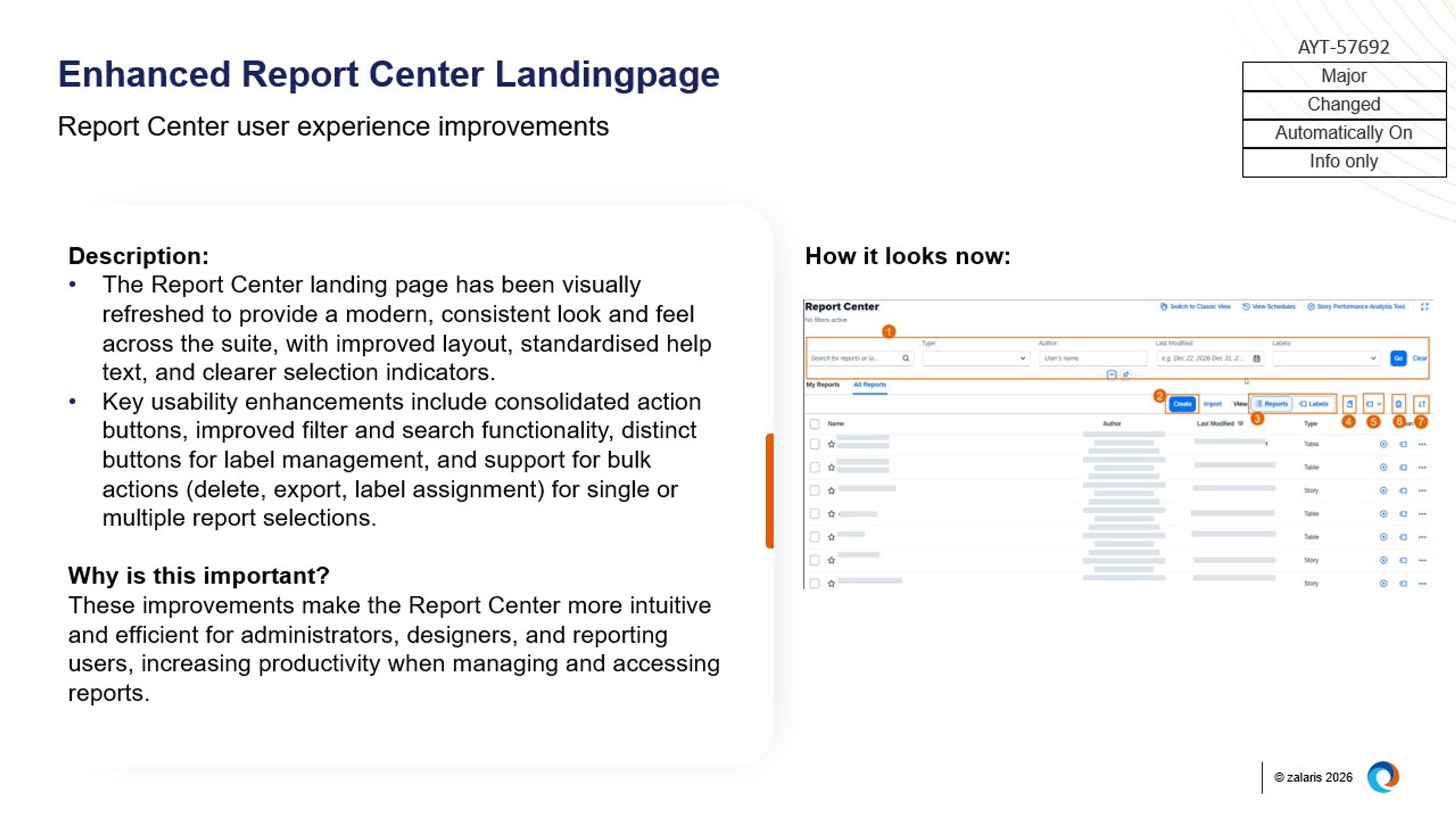
Image: Enhanced Report Center Landingpage
Expanded flexibility and guardrails for report design and data export
Updates to Query Designer and Story reports introduce configurable column order and sorting for exports, support for calculated columns and Excel exports, and the ability to export data with dynamic date range filters applied.
At the same time, enhanced guardrails and warnings for complex queries and large data exports provide clearer guidance during report design and execution.
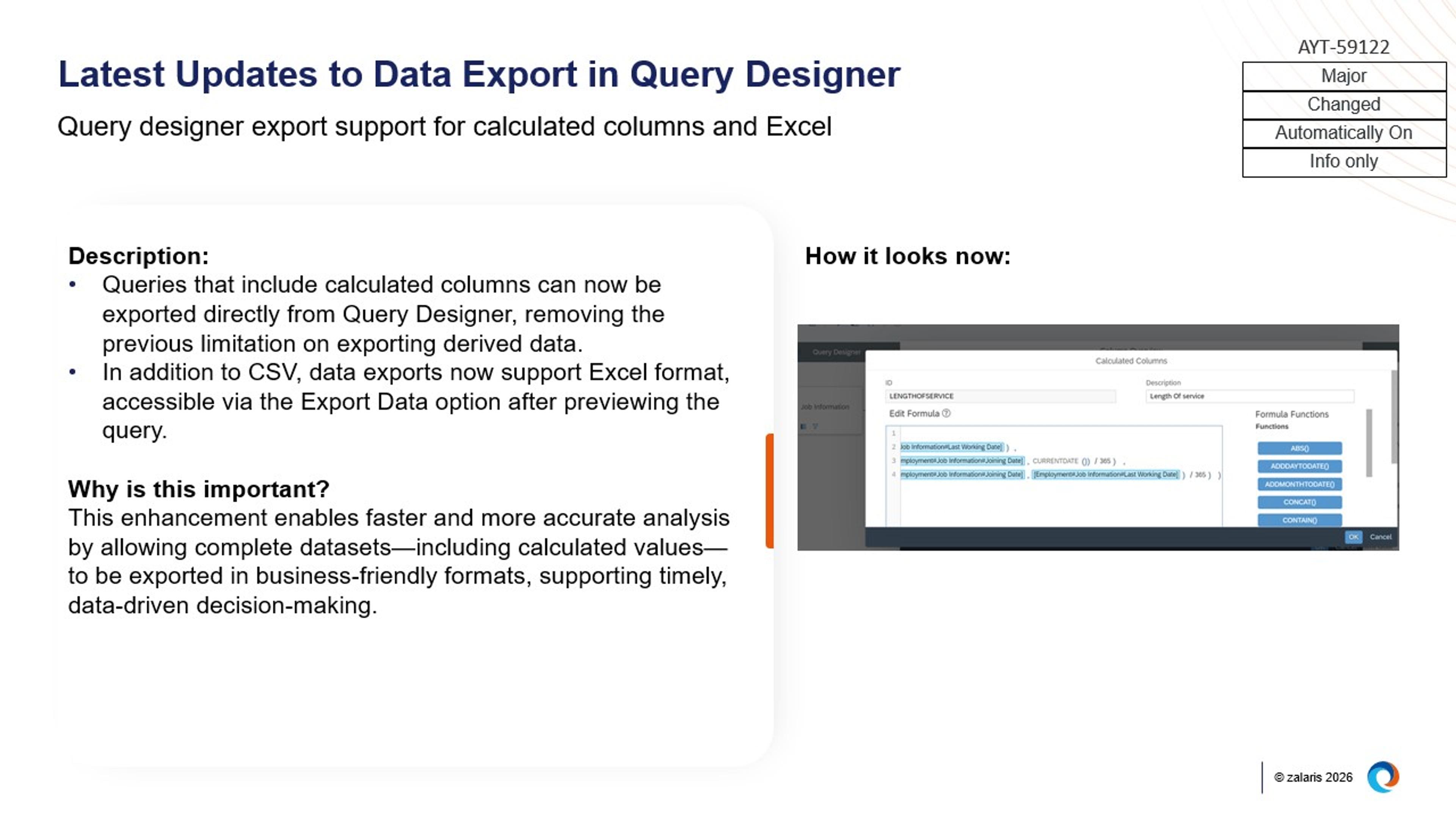
Image: Column Order and Sorting for Data Export in Query Designer
SAP SuccessFactors Platform
The SAP SuccessFactors Platform introduces major updates that strengthen administrative governance, standardise core user experiences, and extend configuration capabilities across the suite.
Stronger governance and control for administrators
A new Manage Super Admin Access tool provides unified control over super admin privileges across both Platform and Learning.
In addition, enhanced metadata support for HR policy documents extends to Google Drive, enabling structured policy management for AI-driven HR policy scenarios alongside existing SharePoint support.
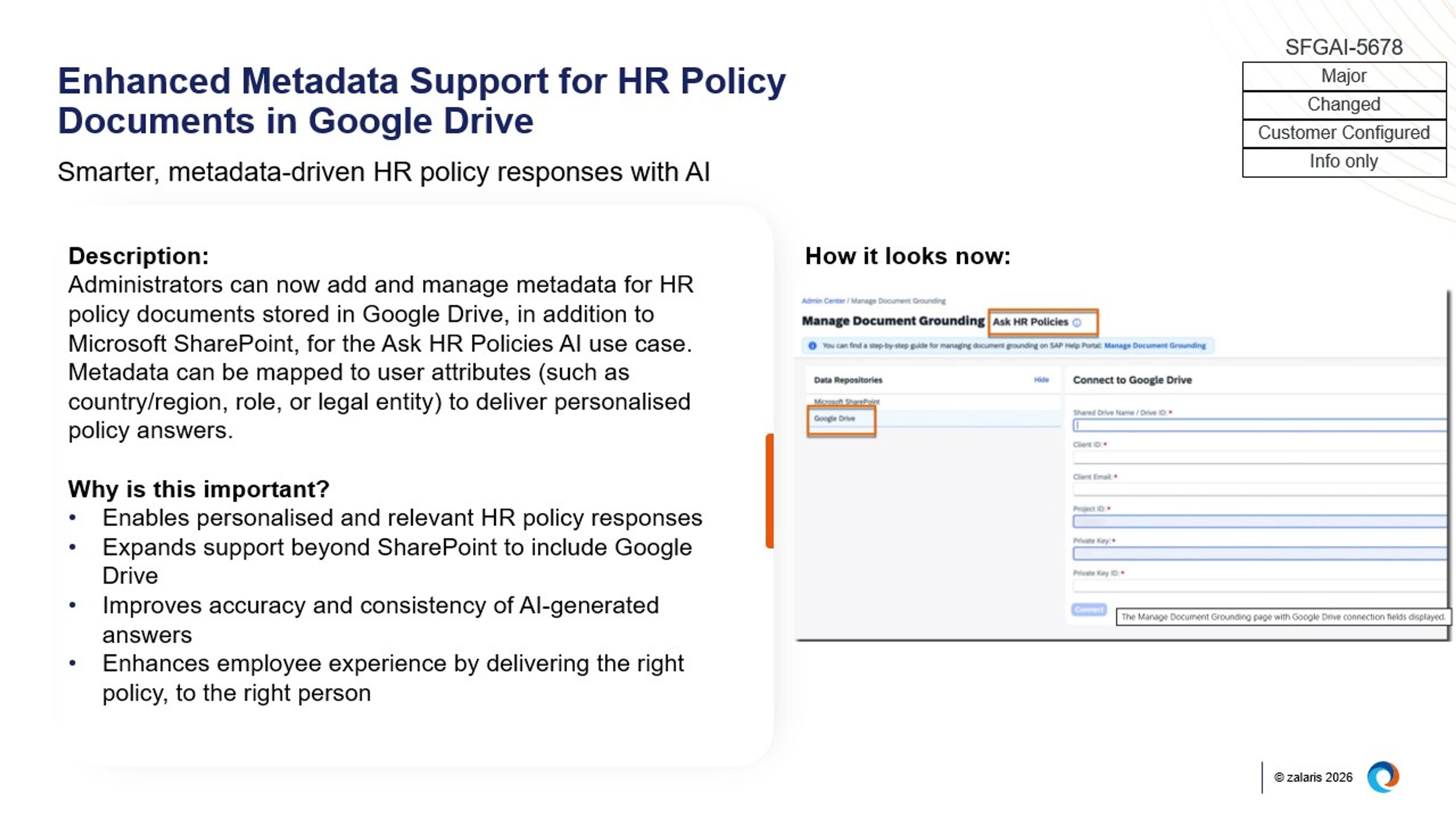
Image: Enhanced Metadata Support for HR Policy Documents in Google Drive
The modern Home Page experience becomes standard
The latest SAP SuccessFactors Home Page is now enabled by default for all users across web and mobile, while preserving existing configurations.
This standardisation is complemented by support for configurable brand images on the Home Page, allowing targeted visuals to be scheduled and displayed for specific user groups.
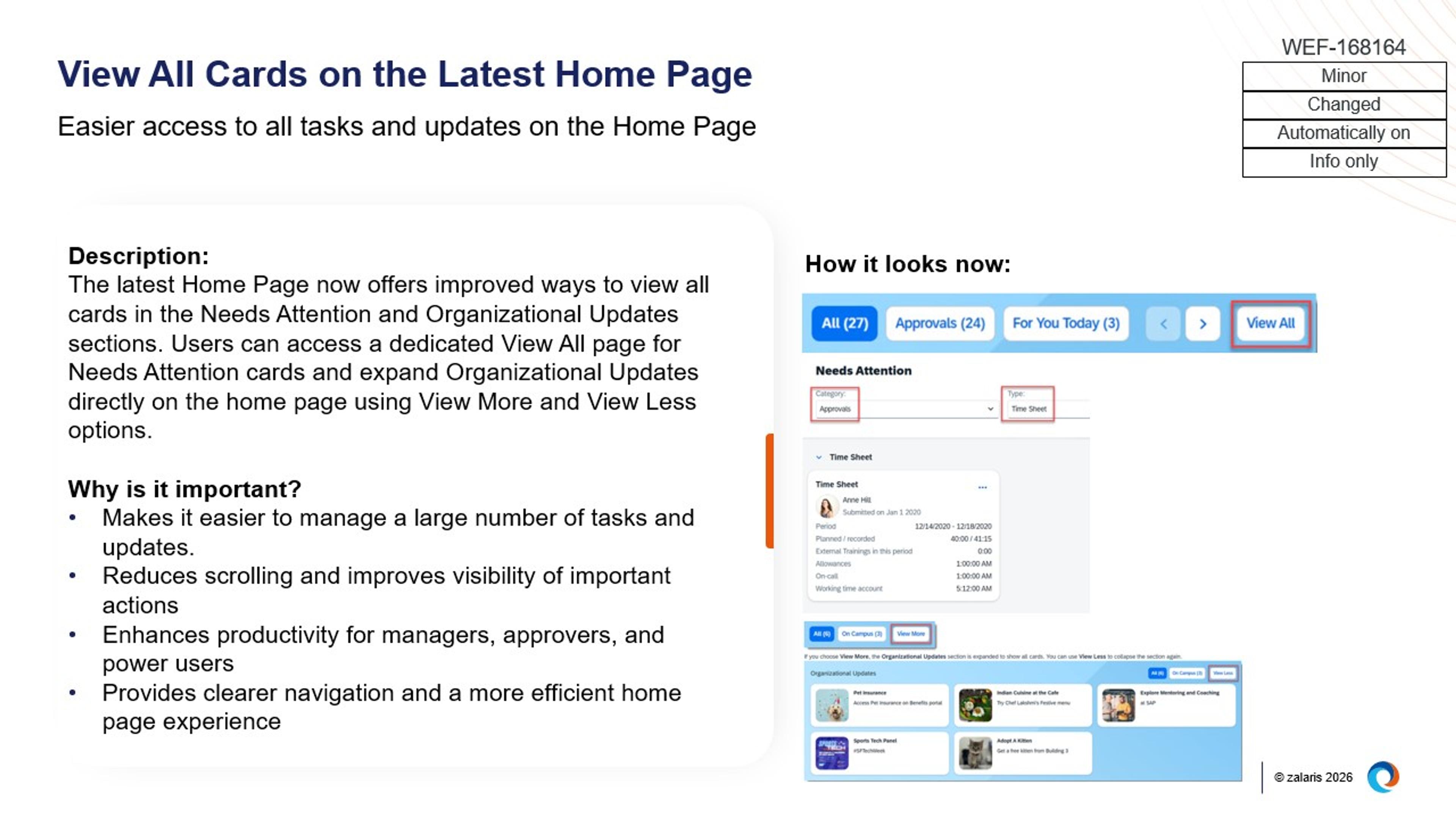
Image: View All Cards on the Latest Home Page
More scalable and flexible people and job profile experiences
Platform updates introduce multi-level job architecture in Job Profile Builder, enabling structured job families, sub-families, and roles with cascading attributes.
In parallel, support for UI Integration Cards in the Spotlight view of the latest People Profile allows controlled visibility of selected employee information without providing full profile access.
Image: Support for UI Integration Cards in Spotlight View on the Latest People Profile
SAP SuccessFactors Learning
The Learning module now supports improved management of external learning data and expanded manager capabilities within the Team View experience.
Enhanced tracking of external learning events
New fields have been added to the External Event entity, allowing more detailed information to be recorded when capturing external learning in a learner’s history. These fields are configurable and can be displayed or made mandatory, supporting more comprehensive documentation of learning completed outside the system.
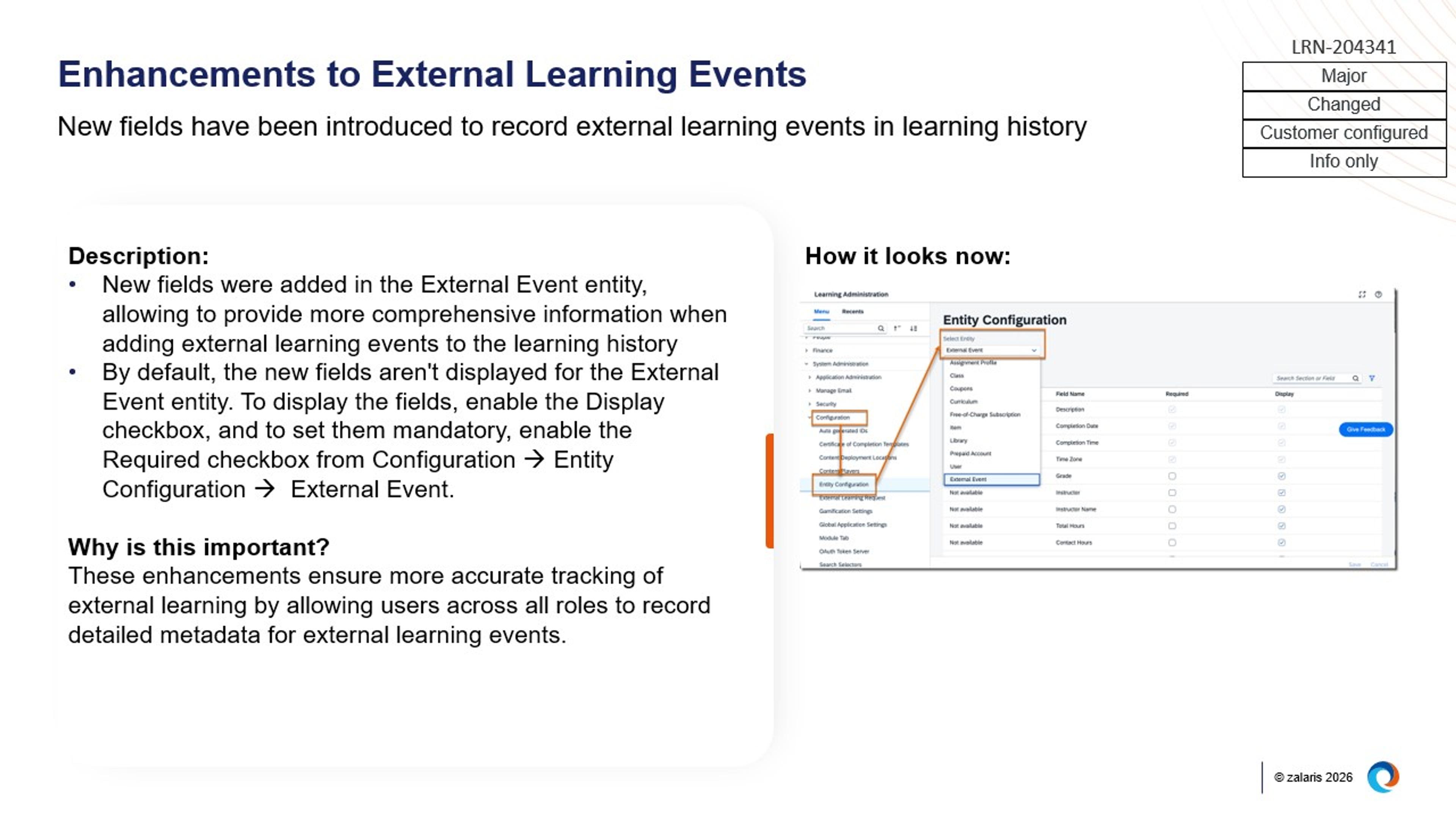
Image: Enhancements to External Learning Events
Expanded manager actions and access in Team View
Managers can now register learners for courses directly from the Team View page and perform withdrawal or removal actions without navigating away. The update also provides access to SF‑182 external learning requests, reports, and curricula status from the Team View additional actions menu.

SAP SuccessFactors Onboarding
The Onboarding module introduces updates that focus on extending onboarding communications to everyday collaboration tools, improving task visibility and management, and increasing flexibility in document and offboarding processes.
Onboarding notifications extended to Microsoft Teams
The SAP SuccessFactors app in Microsoft Teams now supports dedicated onboarding notification cards, including Welcome Aboard, Onboarding Checklist, Onboarding Guide, and Compliance updates. This allows new hires to receive key onboarding information and reminders directly within Microsoft Teams.
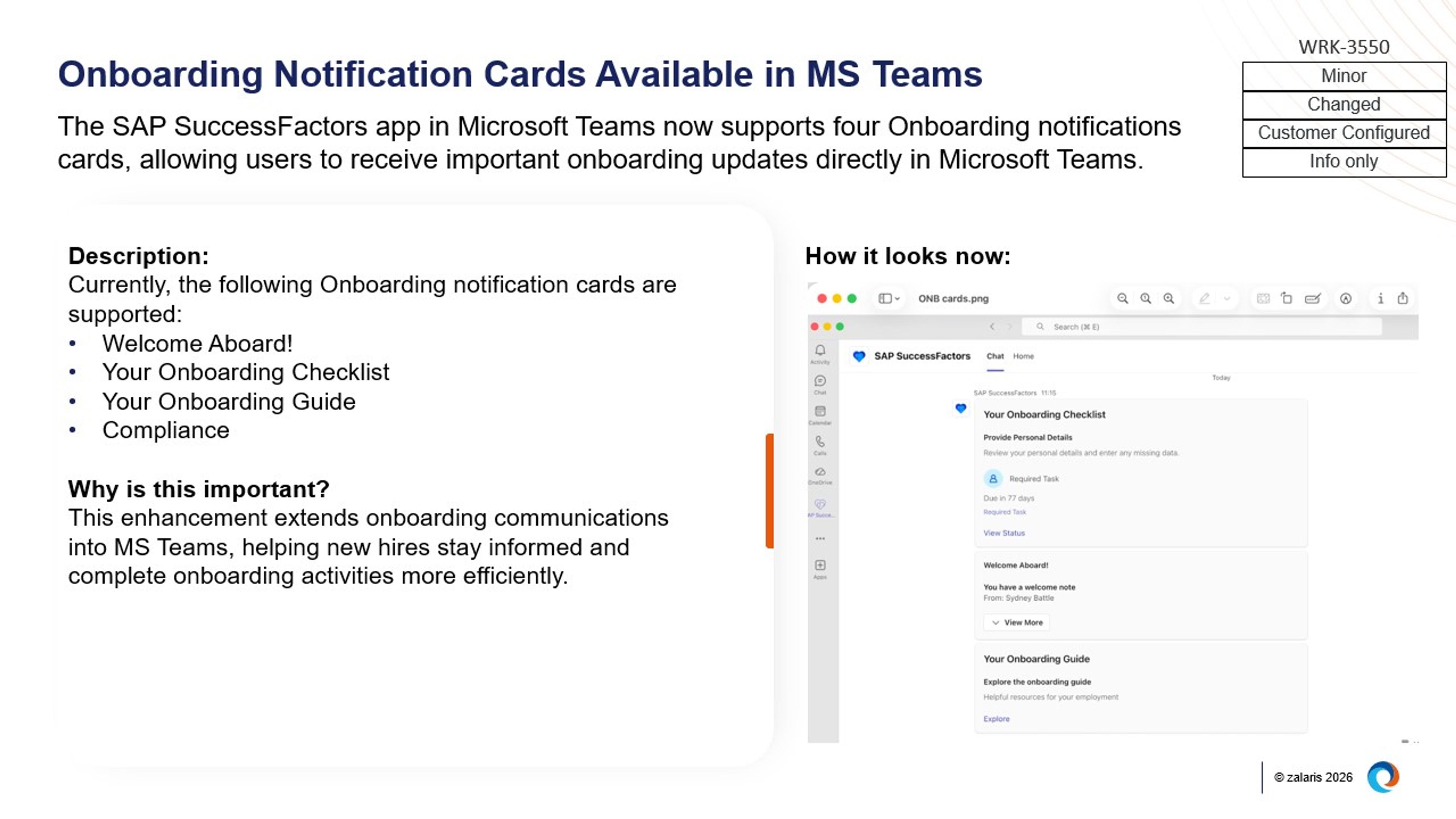
Image: Onboarding Notification Cards Available in MS Teams
Enhanced Offboarding Dashboard automatically enabled
The enhanced Offboarding Dashboard is now automatically available for users with the required permissions, without manual activation. The dashboard provides advanced search and filtering, unified task views, and improved visibility into offboarding activities.
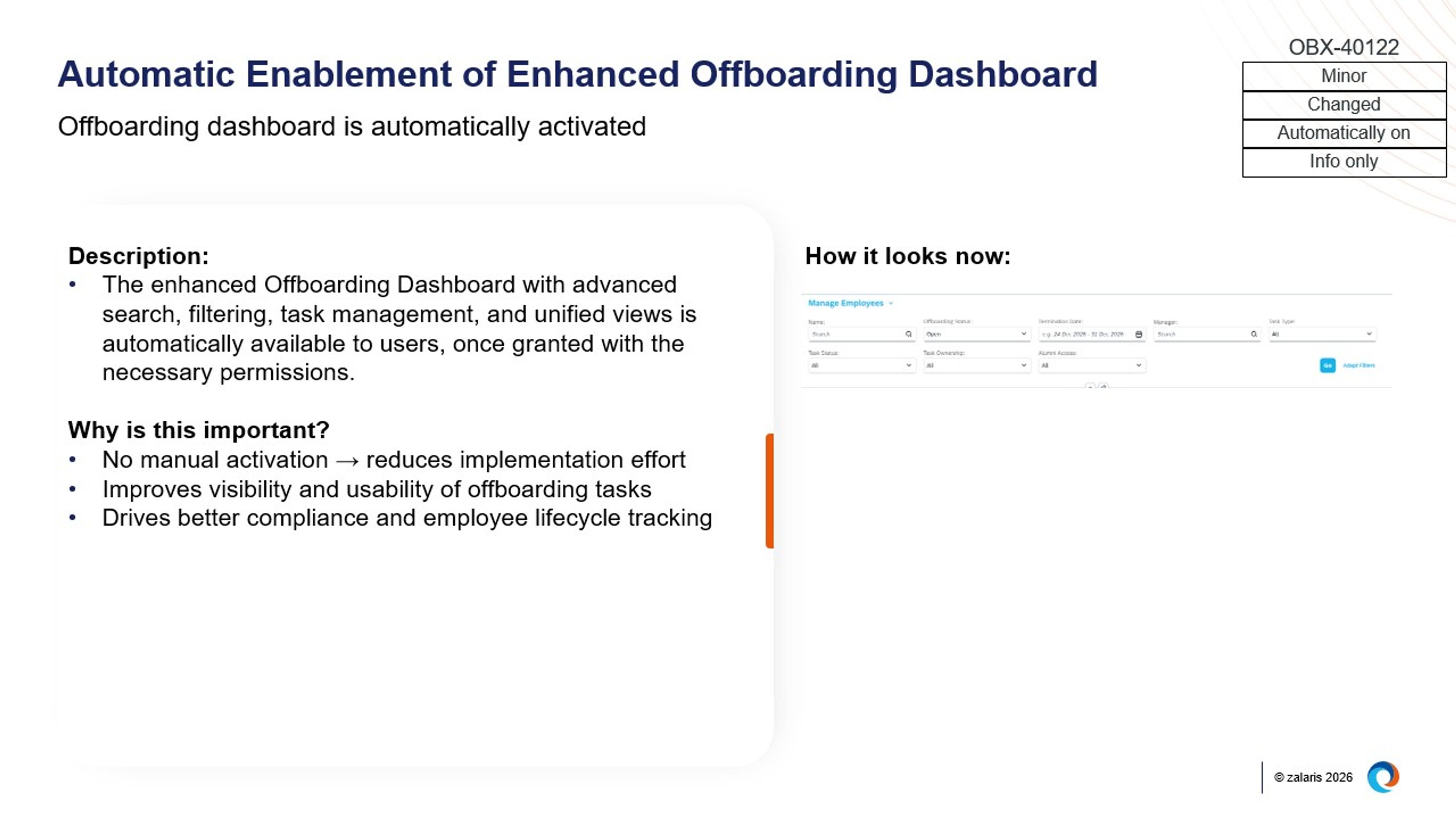
More flexible handling of onboarding document changes
Administrators can now restart only the e‑signature step within onboarding document flows when new hire data changes, rather than restarting the entire onboarding process. This applies specifically to document flows that include electronic signatures.
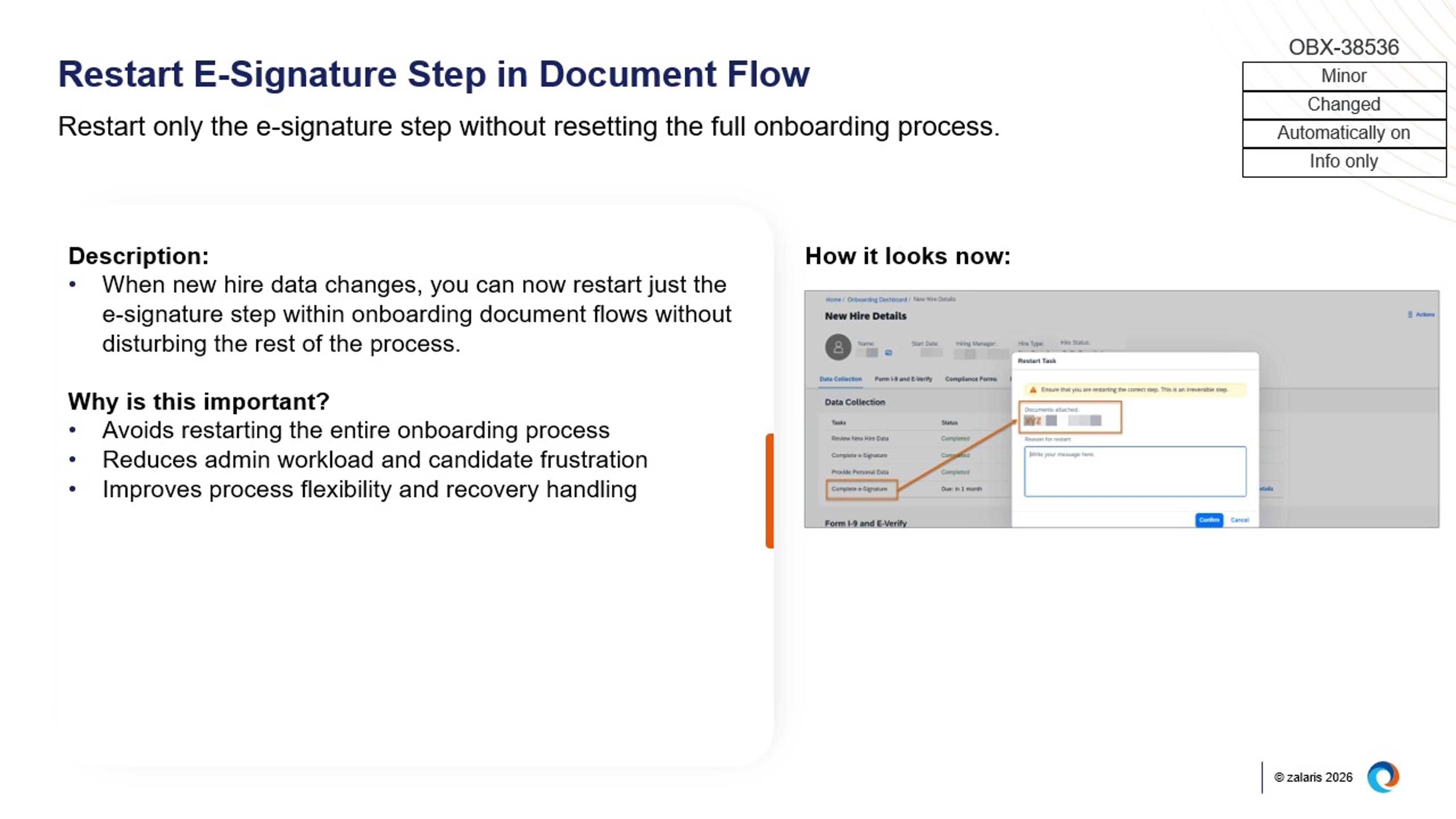
Image: Restart E-Signature Step in Document Flow
Centralised access to onboarding tasks
A new Task Management page has been introduced within the Onboarding framework, allowing onboarding‑specific tasks to be accessed directly from a dedicated page, in addition to the existing To‑Do side panel. This provides a clearer and more centralised view of onboarding tasks.
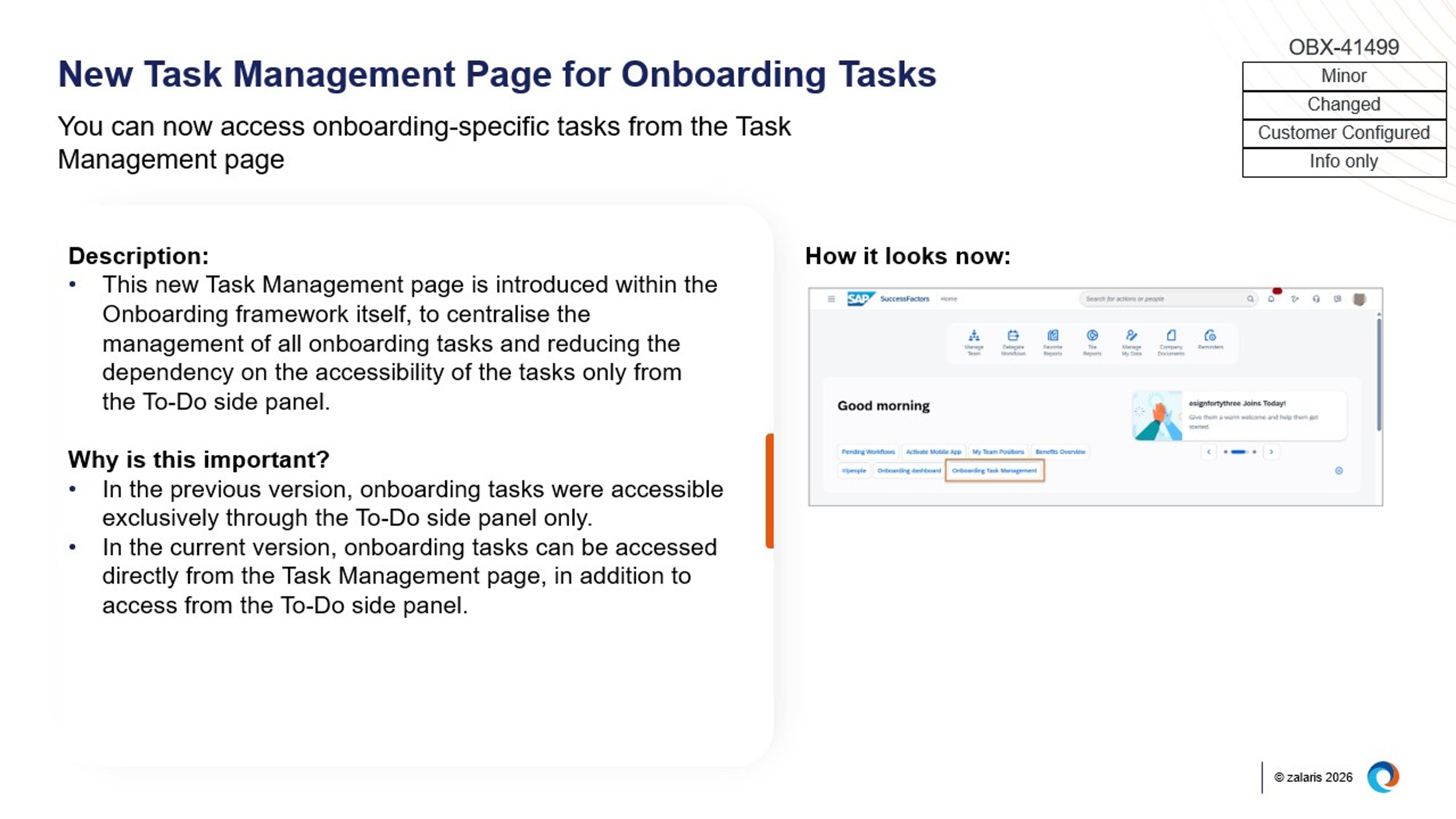
Image: New Task Management Page for Onboarding Tasks
SAP SuccessFactors Recruiting
The Recruiting module now enhances the candidate experience through AI‑enabled interactions, while streamlining recruiter workflows within the Applicant Workbench.
AI‑enabled candidate engagement on career sites
SAP SuccessFactors now supports integration with SmartRecruiters Winston, allowing AI chat to be embedded directly into SAP SuccessFactors career sites using Career Site Builder. Job requisition data is synced to support guided, conversational interactions with candidates, while SAP SuccessFactors continues to function as the applicant tracking system.
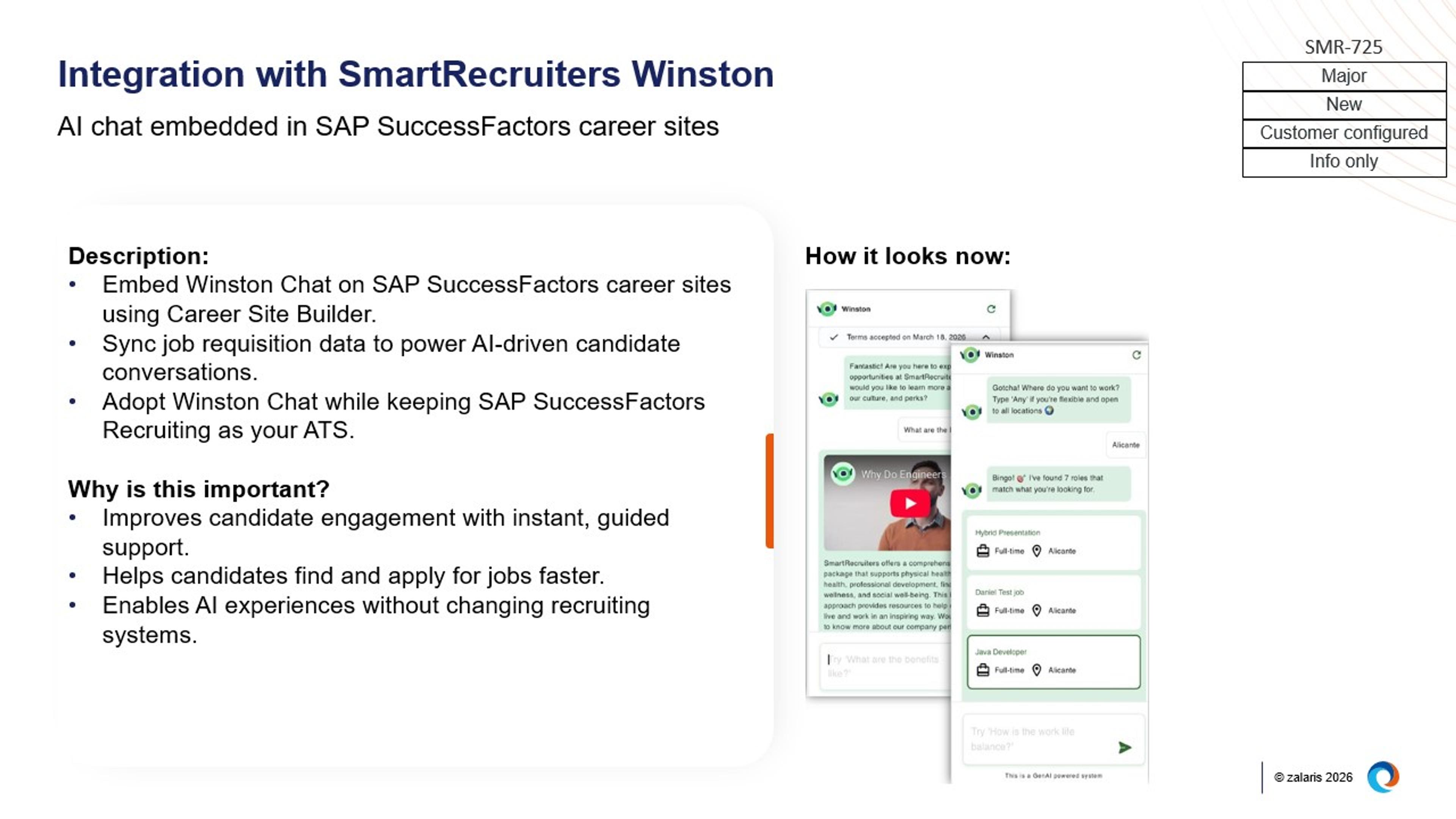
Image: Integration with SmartRecruiters Winston
Usability improvements in the Applicant Workbench
Several enhancements improve how recruiters manage candidates within the Applicant Workbench. These include clearer visibility of pending interview feedback, filters to focus only on active applicants, earlier detection of missing information in draft offer letters, and improved handling of status changes and requisition closure. Together, these updates refine day‑to‑day recruiting interactions without changing core recruiting processes.
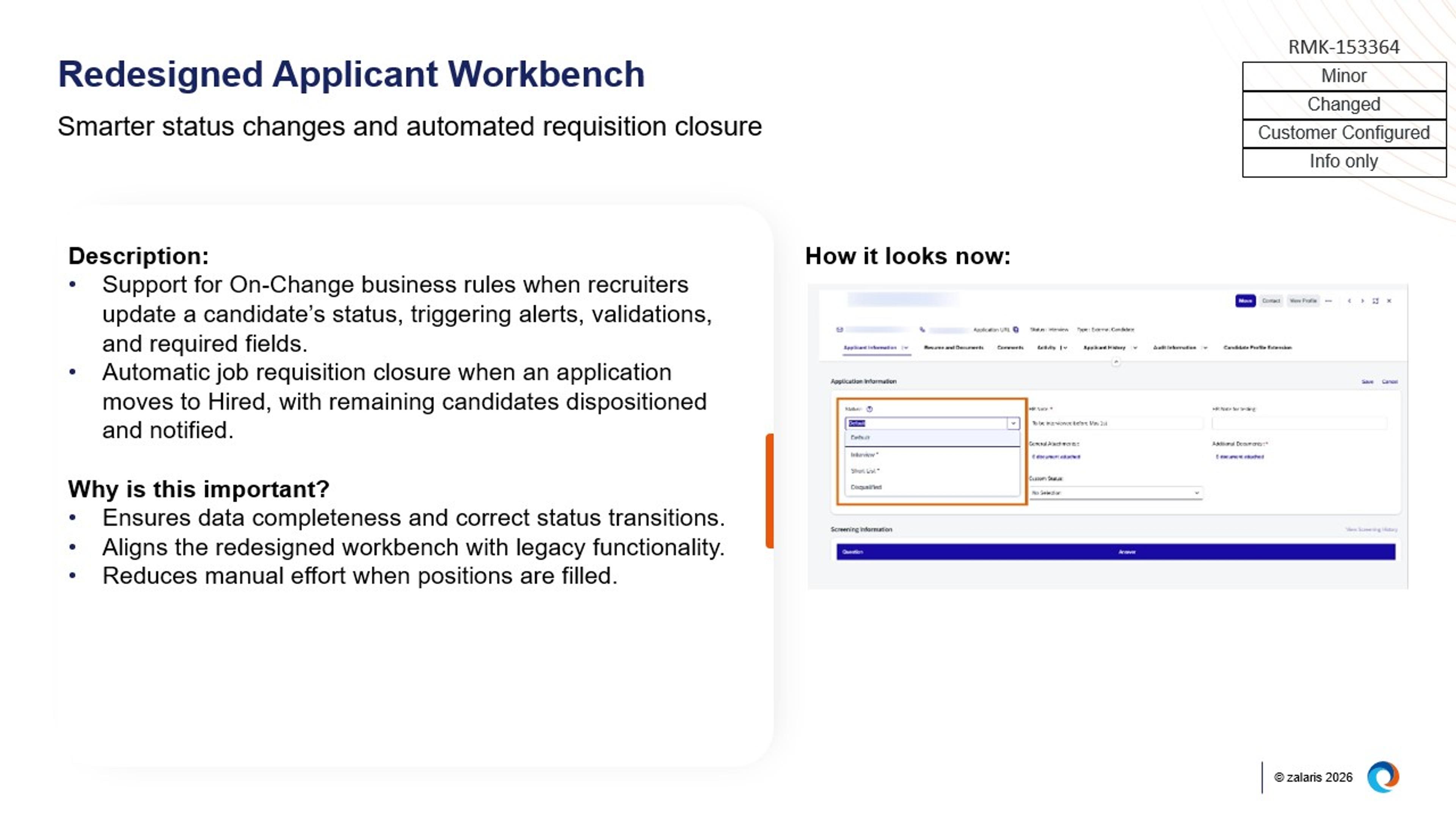
Image: Redesigned Applicant Workbench
Incremental compliance and data management enhancements
Additional updates support administrative and compliance needs, including the ability to complete candidate purges even when in‑progress applications exist, and support for custom country labels that reflect regional or legal naming requirements consistently across the candidate experience.
SAP SuccessFactors Performance & Goals
The Performance & Goals module focuses on greater flexibility in performance form behaviour, scalable goal management, and expanded support for evaluating future roles and readiness.
Greater flexibility in configuring dynamic performance forms
The existing business rule scenario for changing field visibility, editability, and required status has been expanded and renamed to Configure Dynamic Form Content. It now supports additional capabilities such as setting field values, limiting rating options, controlling section visibility, and applying more advanced conditions, allowing form content to adapt dynamically based on defined rules.
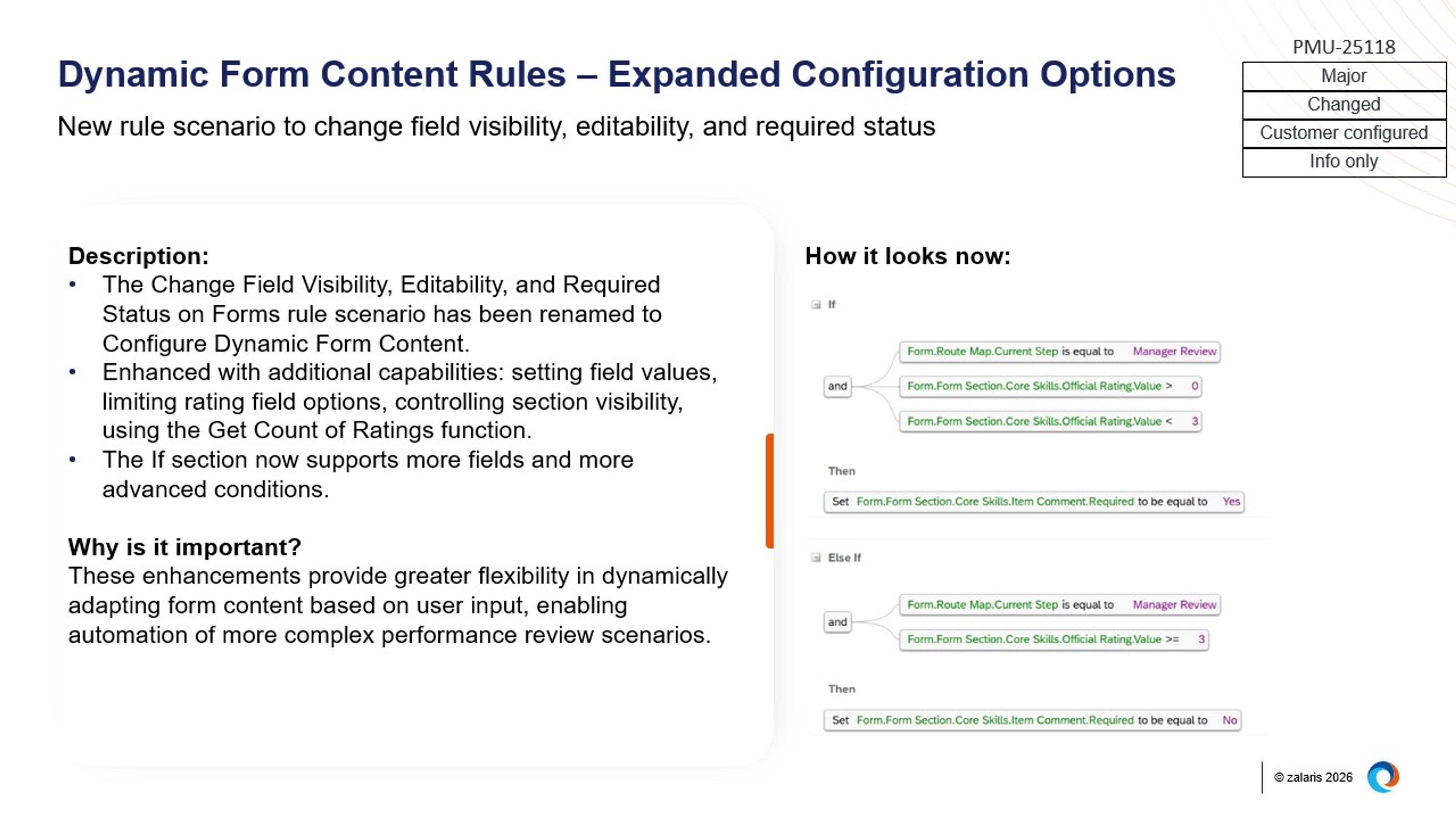
Image: Dynamic Form Content Rules – Expanded Configuration Options
Bulk management of employee goal plan states
A new admin tool enables mass updates of performance goal plan states across multiple employees without accessing individual plans. The tool supports large‑scale updates via CSV upload, includes system validation, runs as a background job, and provides progress tracking and completion summaries.
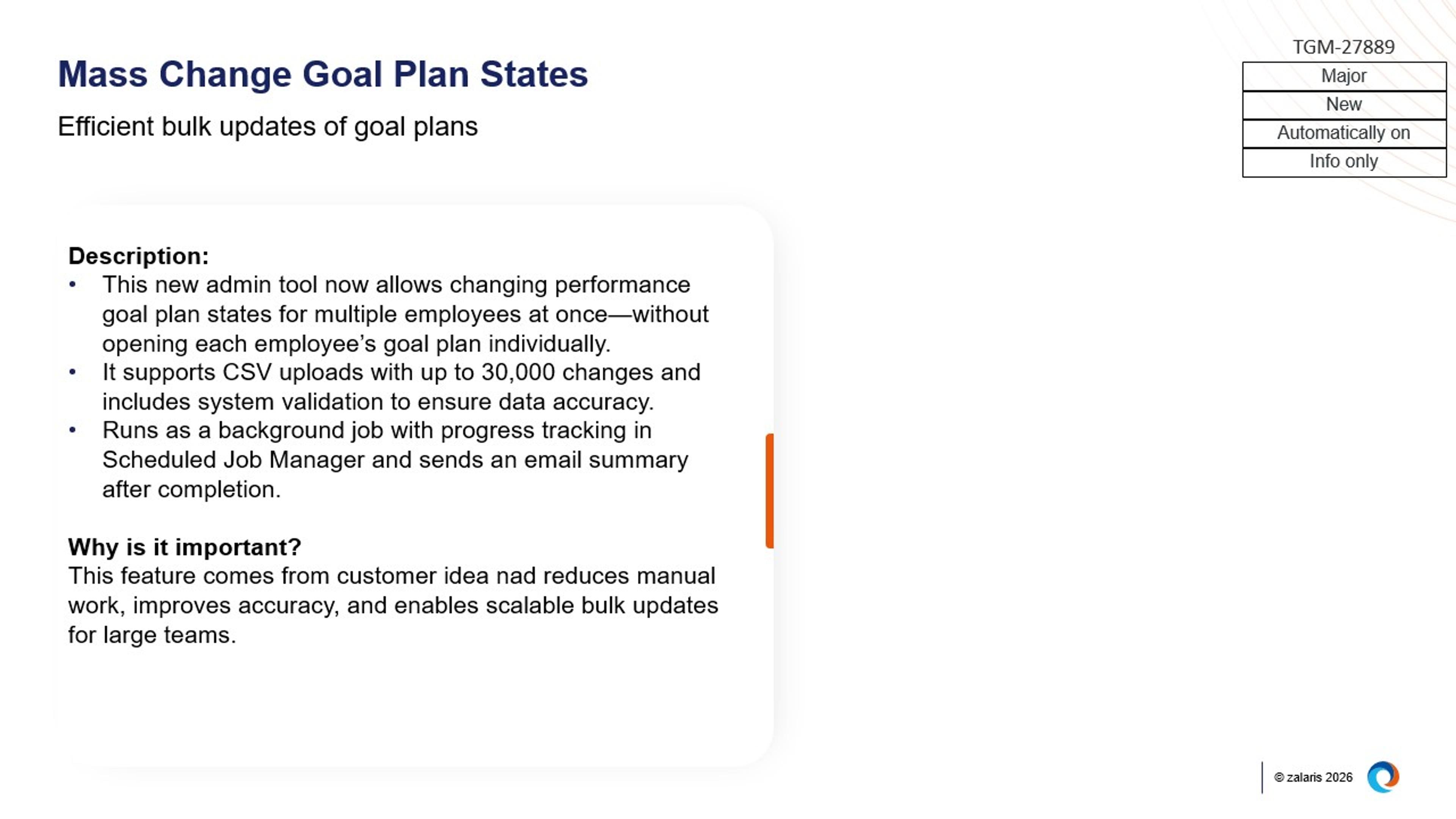
Image: Mass Change Goal Plan States
Evaluation of skills and competencies for future roles
Performance Management forms now support assessing skills and competencies for an employee’s next job role, in addition to the current role. When configured, relevant attributes for one or more future roles are automatically populated into the form and can be conditionally displayed using business rules.

SAP SuccessFactors Talent Intelligence Hub
The Talent Intelligence Hub adds updates that focus on strengthening skills and certificate governance, improving data quality, and providing more controlled visibility of talent attributes across the suite.
Centralised certificate management integrated with skills data
A new certificate management capability enables administrators to configure and manage certificates from a central location, including attachment requirements, expiry and renewal rules, and notification settings.
Employees can add certificates to their Growth Portfolio, with associated skills automatically reflected and linked to appropriate proficiency levels.
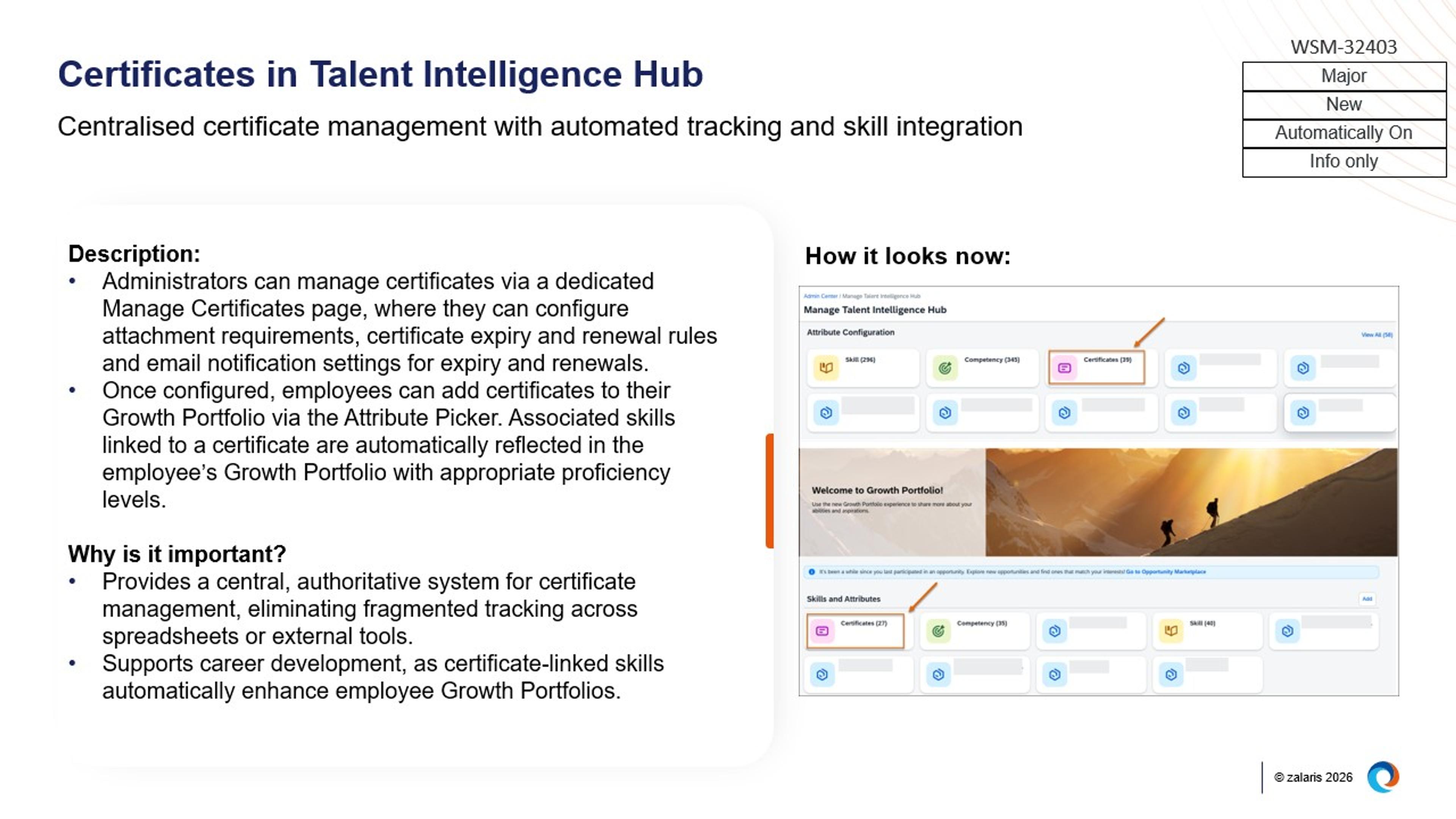
Image: Certificates in Talent Intelligence Hub
Introduction of Skills Governance for improved data quality
A dedicated Skills Governance process provides a central staging area where imported and AI‑inferred skills can be reviewed, standardised, and approved before being added to the Attributes Library.
This ensures that only validated and consistent skills are used across talent profiles and downstream processes.
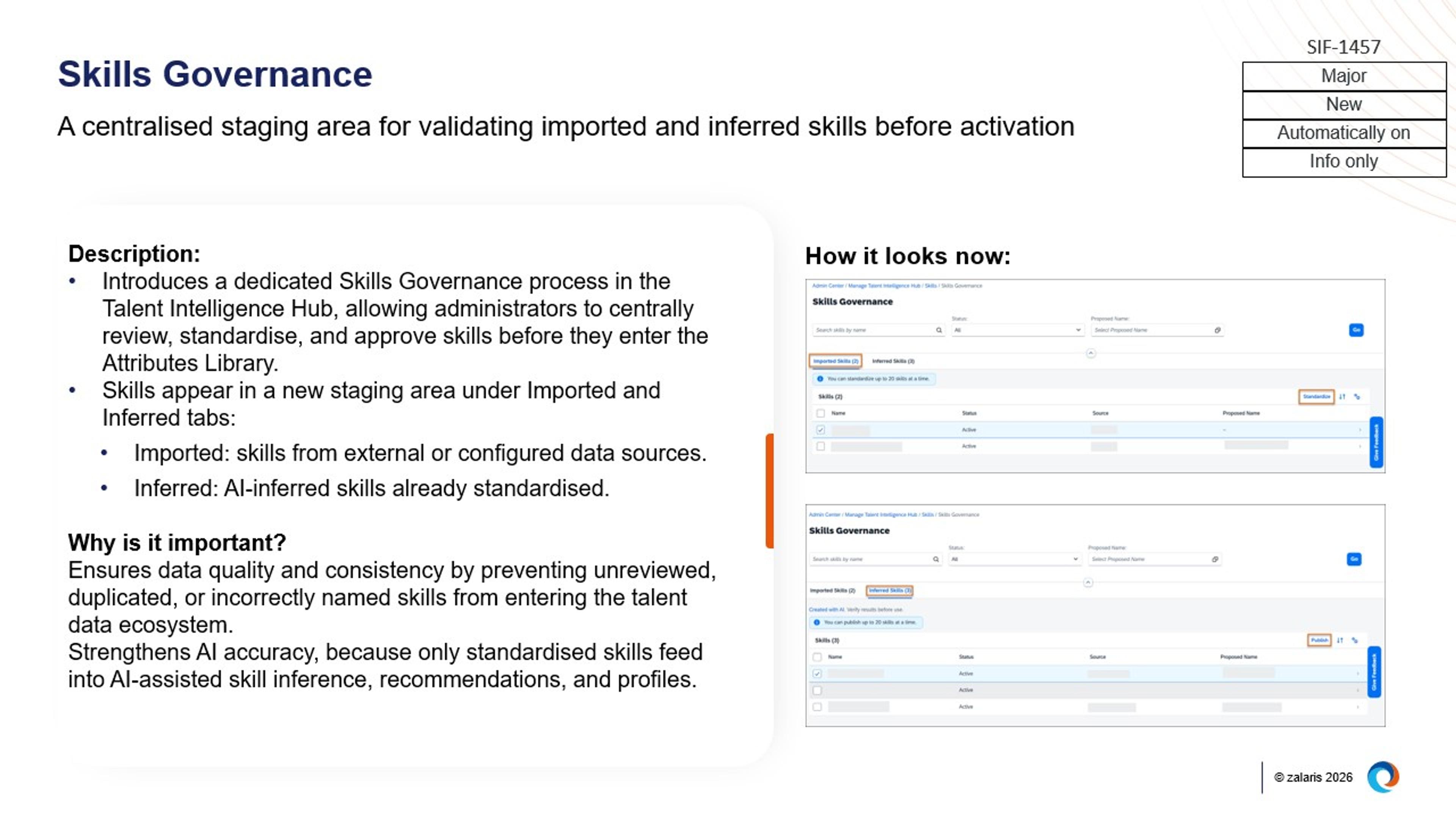
Image: Skills Governance
More granular control over attribute visibility using target criteria
New target criteria settings allow administrators to control the visibility of attribute types and tags based on defined rules.
This supports more precise governance of skills and attributes across Talent Intelligence Hub and related modules such as Growth Portfolio, Job Profile Builder, Opportunity Marketplace, Succession, and Performance Management.
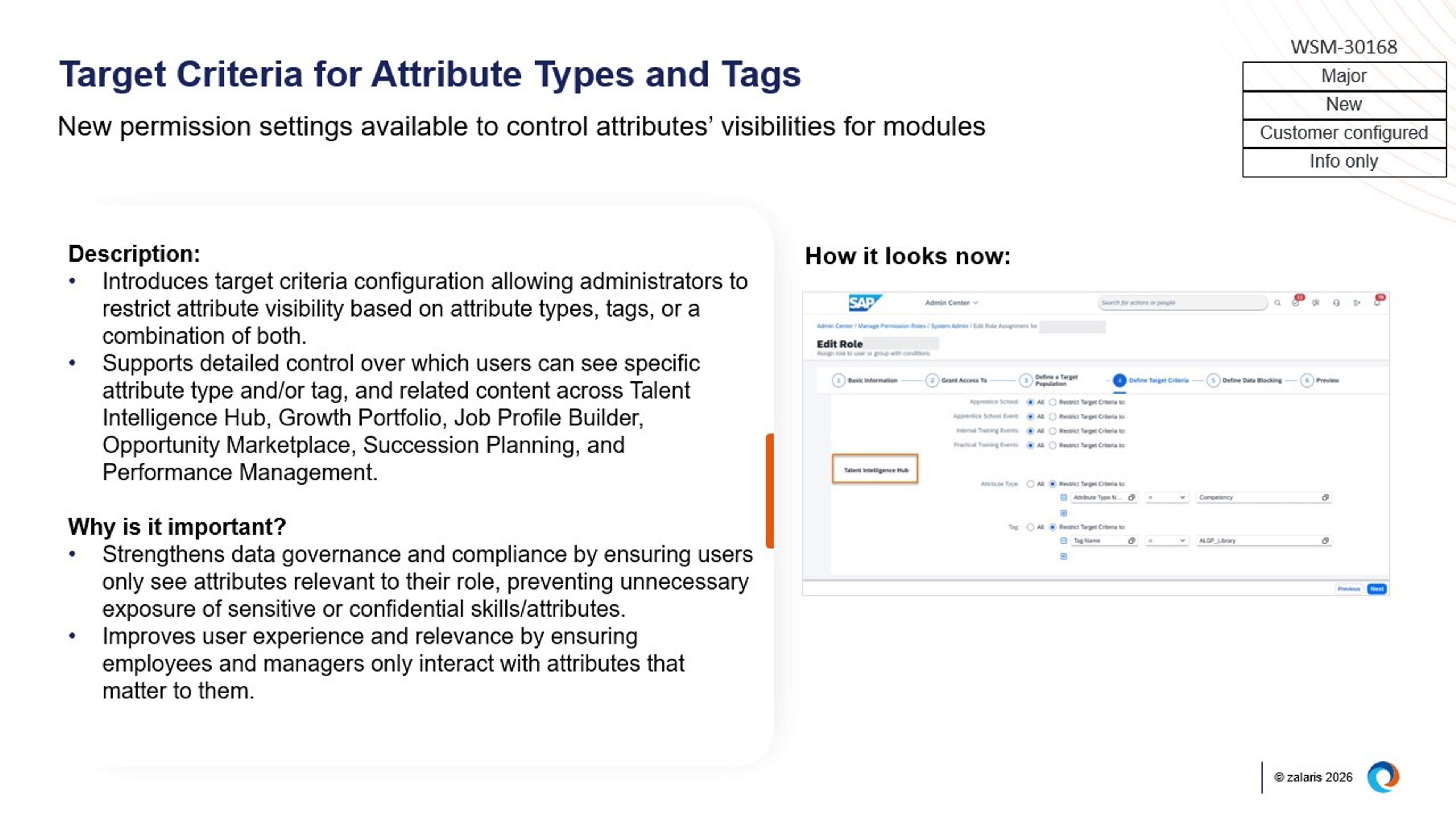
SAP SuccessFactors Succession & Career Development
The Succession and Career Development module introduces major updates that focus on extending AI capabilities to mobile experiences and strengthening governance over succession nominations.
AI‑assisted writing extended to mobile experiences
AI‑assisted writing is now available in the SAP SuccessFactors mobile app across multiple talent processes, including goal creation and editing in Performance & Goals, Development Goals, Continuous Performance feedback, and self‑descriptions in the latest People Profile. This enables users to draft and refine content directly from mobile devices.
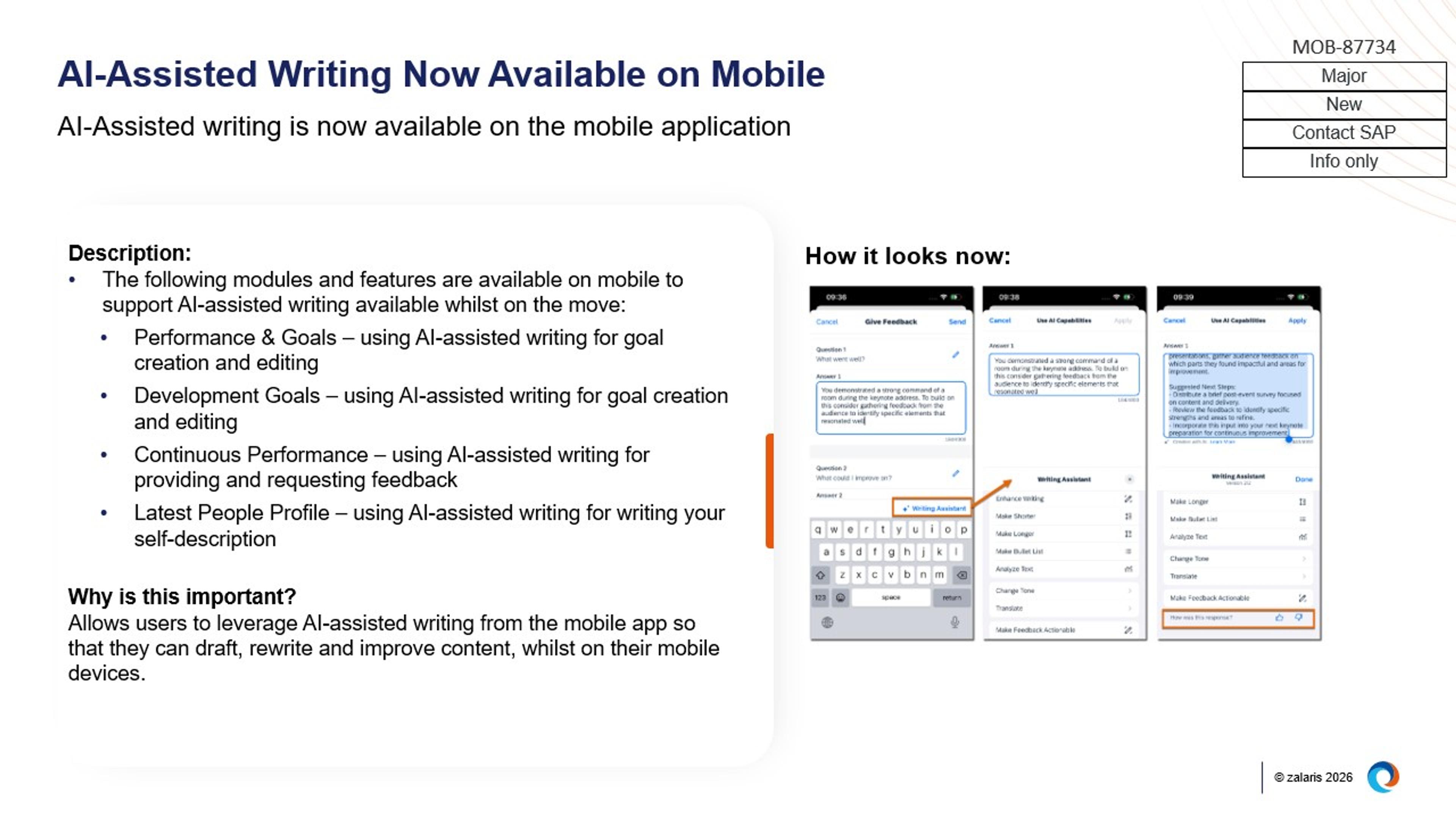
Image: AI-Assisted Writing Now Available on Mobile
New permission controls for succession nominations
New permissions allow organisations to control who can view, add, edit, and delete successor nominations, as well as restrict which employees can be nominated as successors. These controls can be combined with target population settings to enforce more granular governance within succession planning.
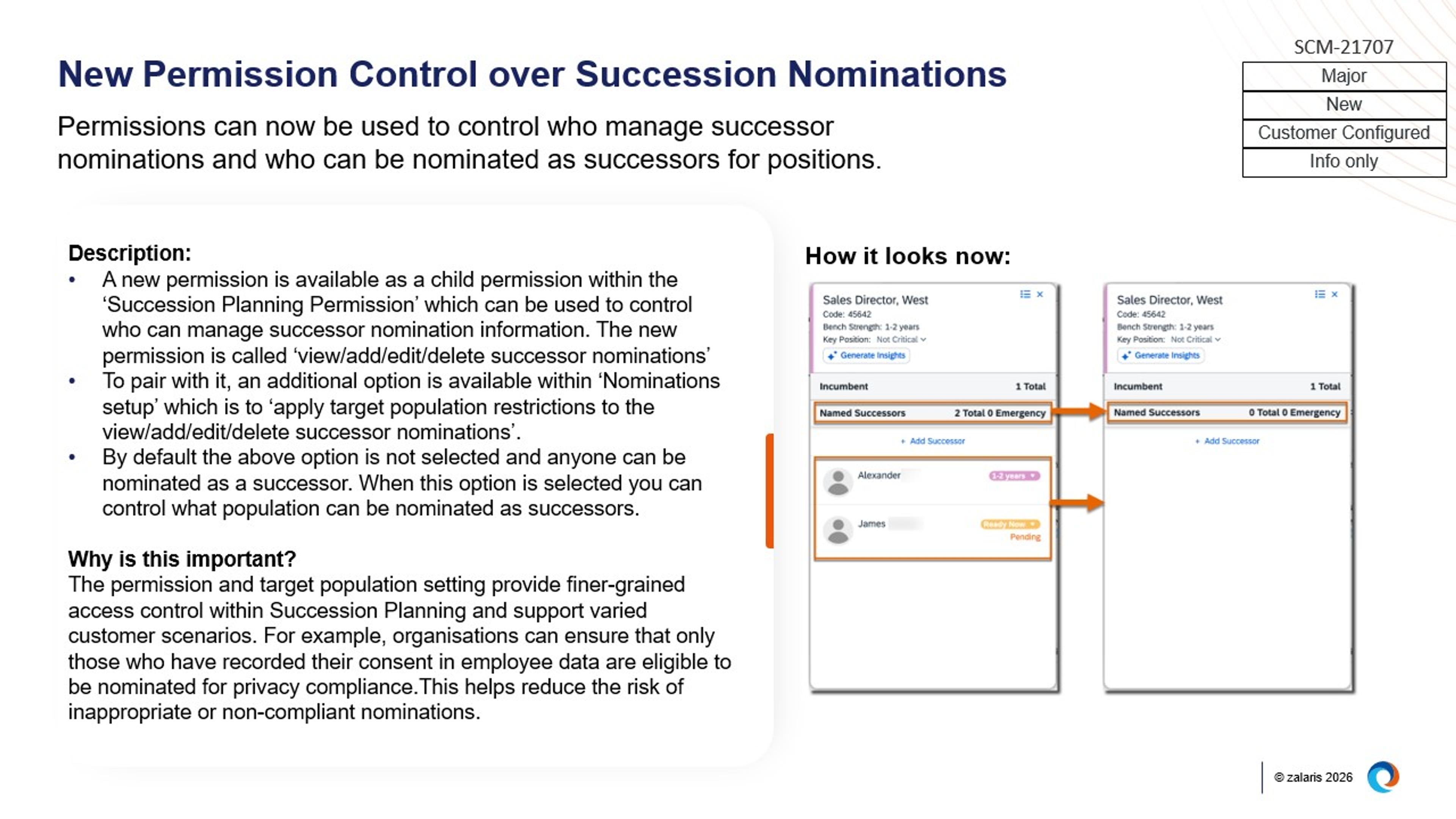
Image: New Permission Control over Succession Nominations
SAP SuccessFactors Employee Central Payroll
Employee Central Payroll introduces updates that strengthen auditability and control during payroll execution, while continuing to extend data replication coverage for country‑specific and employee life‑cycle scenarios.
Enhanced Payroll Control Center for managing payroll activities
The Payroll Control Center (PCC): Manage Payroll Activities tab has been enhanced to include archiving capabilities, an Activity Audit Trail, and real‑time updates to employee selections when underlying data changes. Additional controls have also been introduced for managed off‑cycle payrolls and transport requests within payroll planning, improving oversight and traceability during payroll processing.
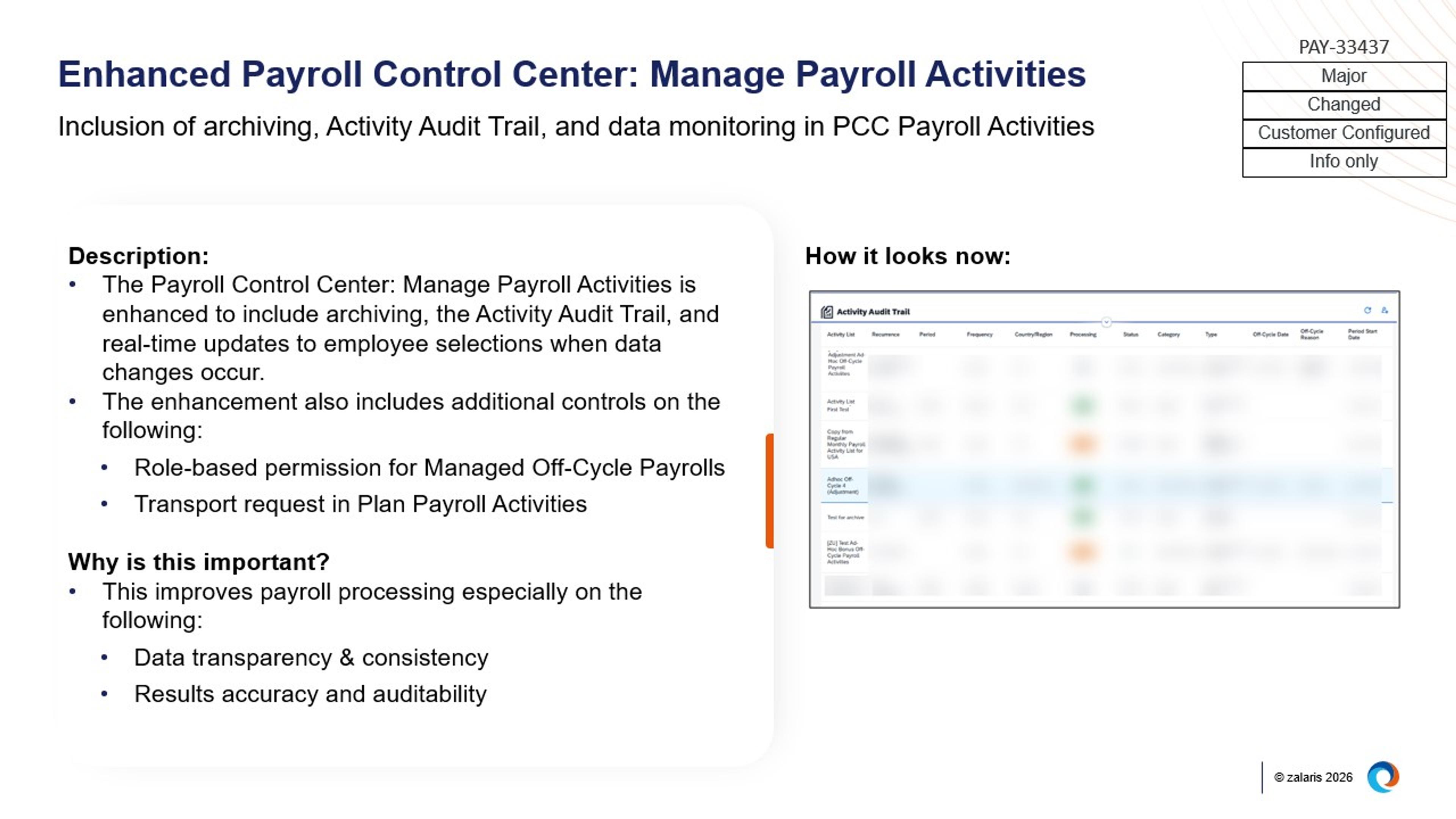
Image: Enhanced Payroll Control Center: Manage Payroll Activities
Continued expansion of employee and time data replication to payroll
A series of updates extend replication from Employee Central and Time Tracking to Employee Central Payroll, covering areas such as gender data, onboarding tax information (including Canada’s TD1 forms), student loan details in the UK, KiwiSaver updates in New Zealand, and work capacity or incapacity fields in Sweden and Norway. These enhancements reduce manual payroll updates and support more consistent country‑specific processing.
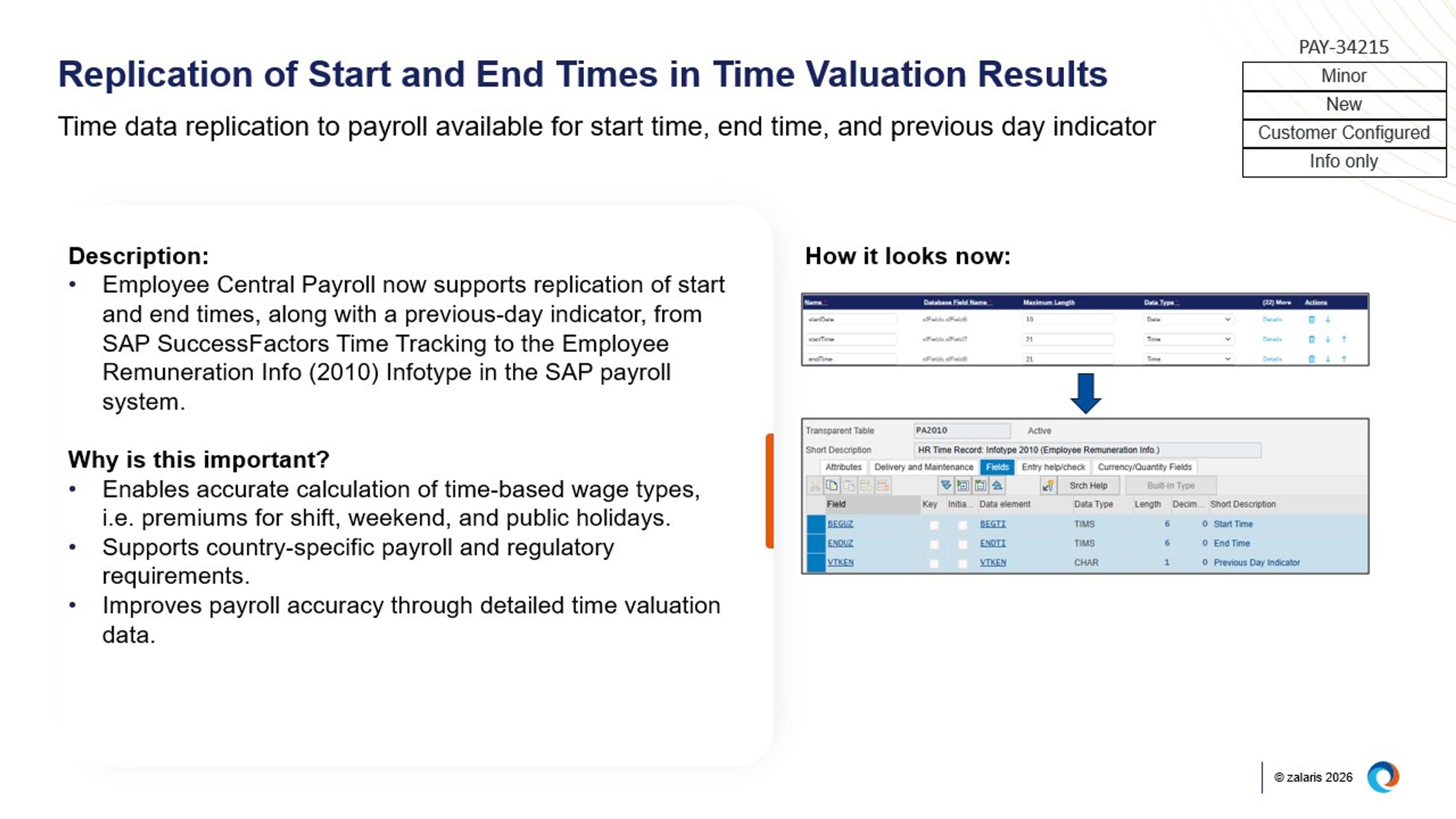
Image: Replication of Start and End Times in Time Valuation Results
Improvements to identity management and employee support features
Payroll user identification can now be derived directly from SAP Identity Authentication Service (IAS), supporting more consistent identity management across systems. In addition, AI‑assisted pay statement explanations using Joule are expanded to additional languages and countries, helping employees better understand their payroll information directly within the system.
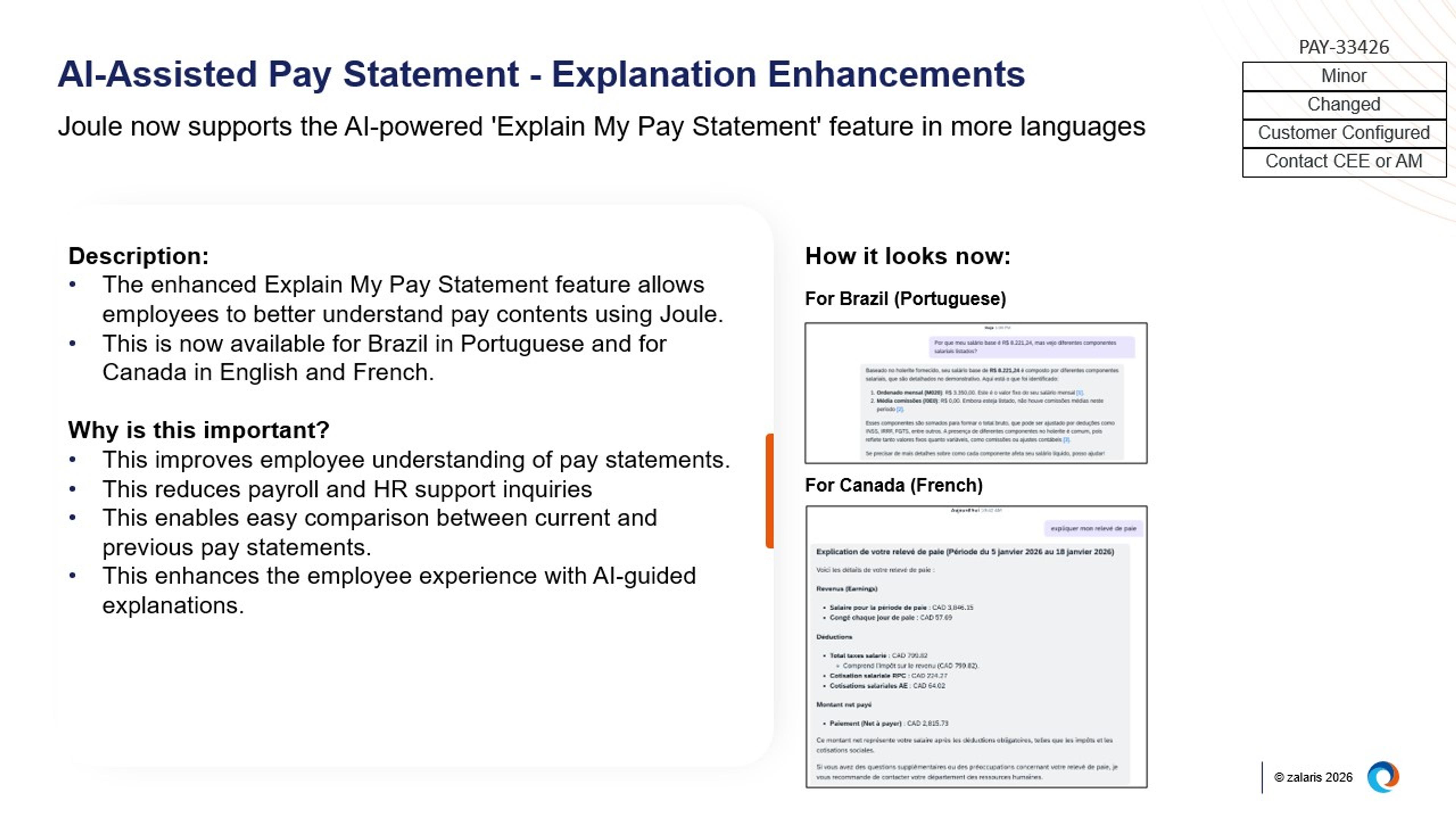
Image: AI‑Assisted Pay Statement - Explanation Enhancements
SAP SuccessFactors Compensation & Variable Pay
Compensation and Variable Pay now includes stronger budget control during executive reviews, improved governance of reward statement visibility, and greater flexibility in bonus calculation and reward communication.
Enhanced executive‑level compensation adjustments with stronger budget control
Executive Review now supports advanced mass actions, allowing controlled bulk compensation adjustments for selected employee populations with clear visibility into budget impact before and after execution. In parallel, budget validation rules are now enforced when saving Executive Reviews, triggering warnings or errors if configured budget limits are exceeded.
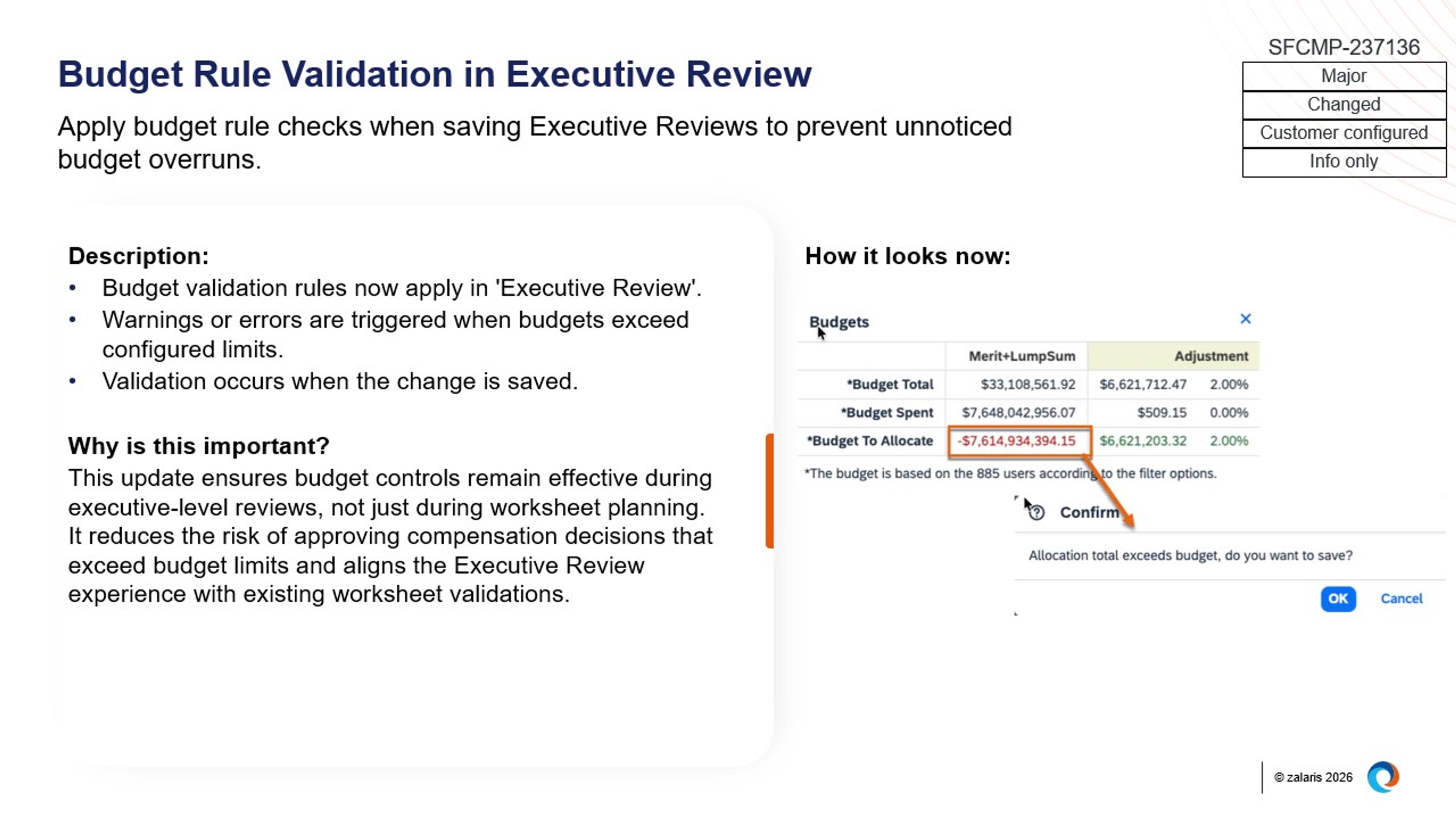
Image: Budget Rule Validation in Executive Review
Changes to reward statement visibility and permissions
With the latest People Profile now universally available, visibility of Compensation and Reward Statements is controlled through profile category, card, and field‑level permissions rather than legacy Employee Views permissions. This change simplifies the long‑term permission model, but requires organisations to actively review and adjust access to ensure reward information is shared appropriately.
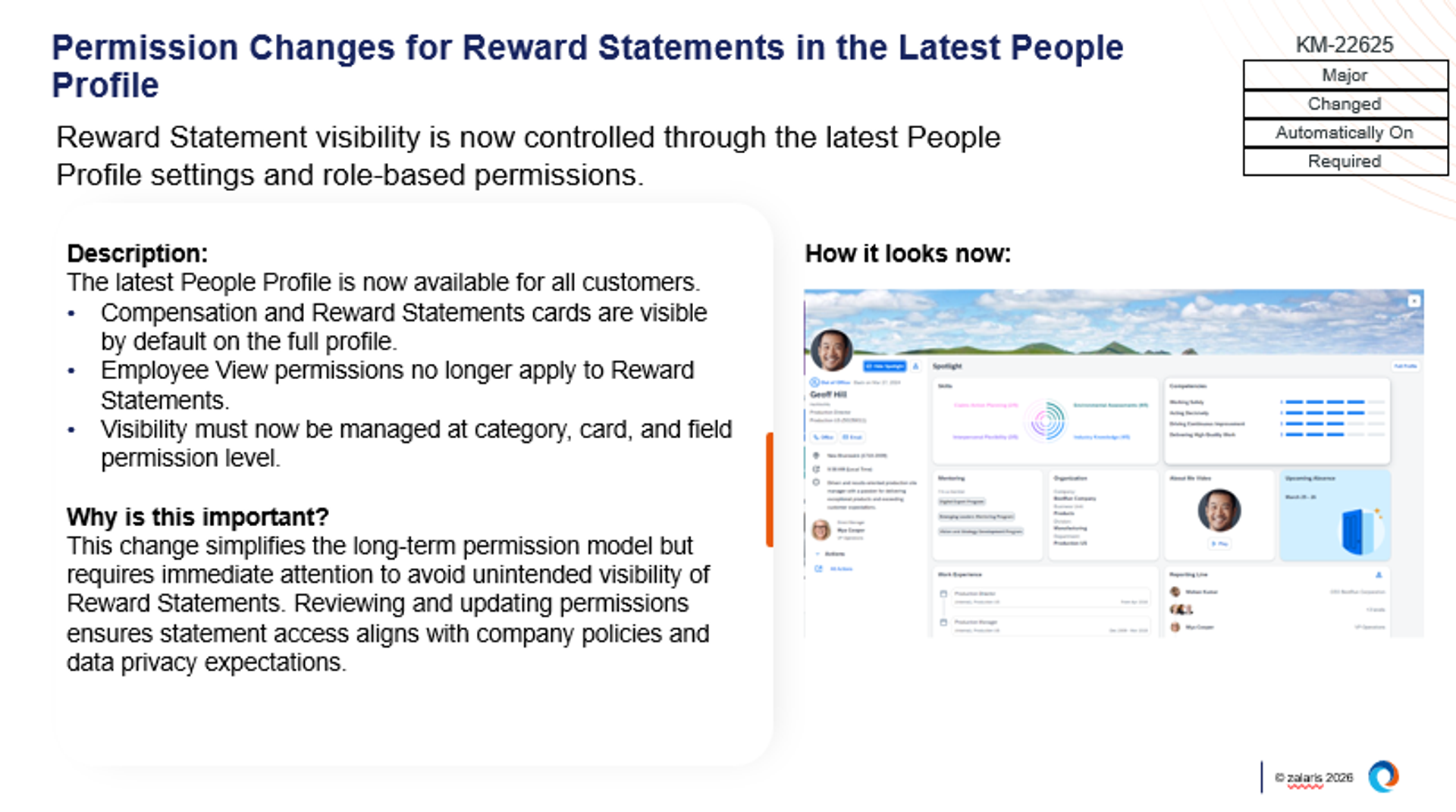
Image: Permission Changes for Reward Statements in the Latest People Profile
Greater flexibility and transparency in variable pay calculation and statements
Variable Pay now supports more advanced custom formulas, including conditional IF‑THEN logic and nested conditions, enabling multiple calculation rules within a single template. In addition, business goal results from multiple goal plans can be included directly in reward statements using standard configuration, allowing statements to more accurately reflect how bonuses are calculated.
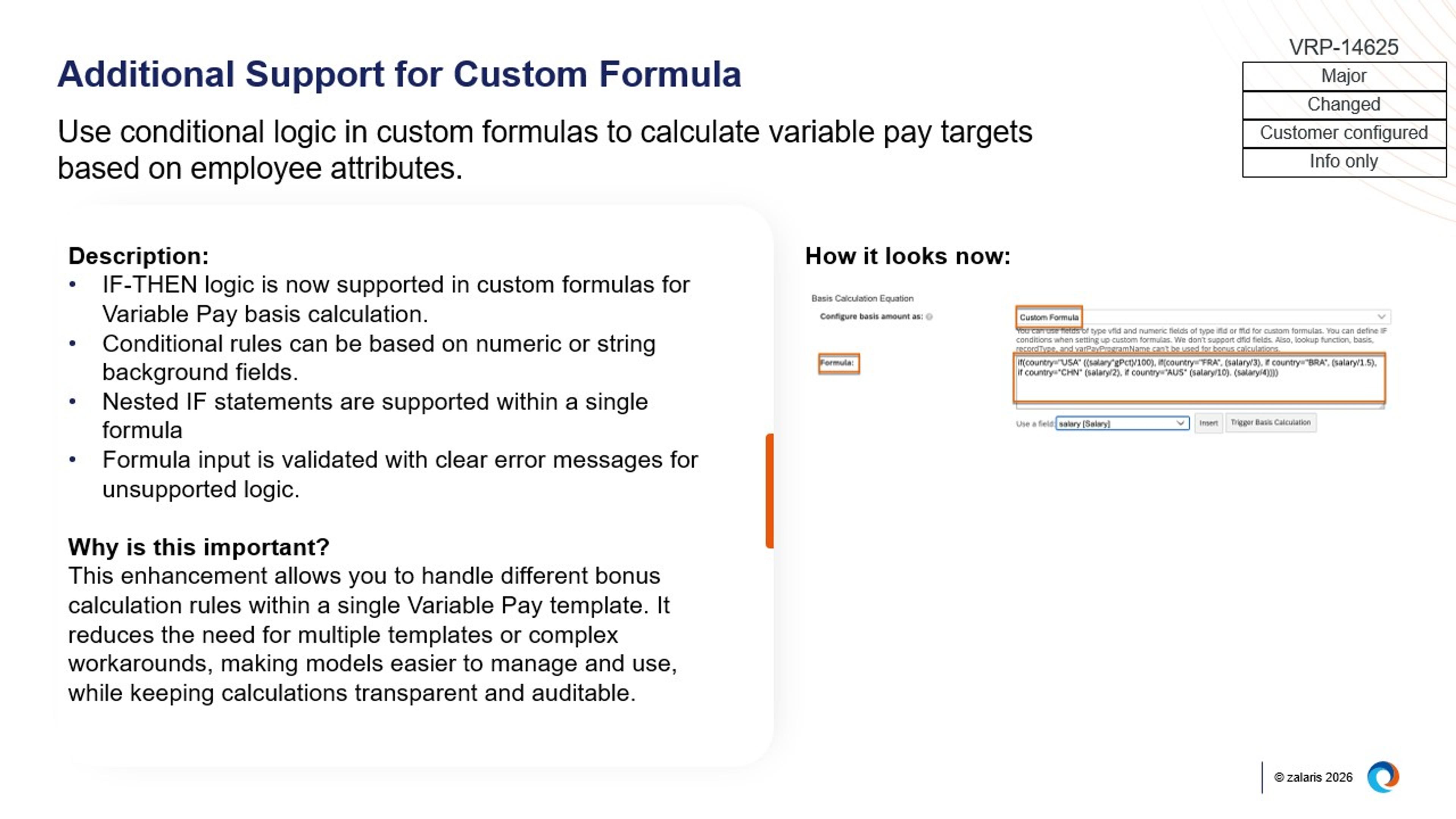
Image: Additional Support for Custom Formula
The SAP SuccessFactors 1H 2026 release continues SAP’s focus on refining core HR experiences, strengthening governance, and embedding intelligence more practically across the HCM suite. Rather than sweeping changes, this release delivers targeted enhancements that improve usability, transparency, and control across everyday HR processes.
To help organisations navigate what’s new and understand where these changes matter most, our global team of SAP SuccessFactors specialists has closely analysed the 1H 2026 release across all modules. Their insights have been brought together in a detailed eBook, offering a deeper look at the key updates and how they can be applied in real‑world scenarios. Download the eBook by entering your details in the form on this page.
To explore the release in more detail, you can also watch our 60 minute briefing designed for CHROs, where our experts walk through the highlights and share practical perspectives on adoption.